
 USE CASES
Advanced User Avatar has an Integrations section with two switches in it: BuddyPress and WP-Members. Better Messages is not in that list, and yet uploaded photos appear in Better Messages chats the moment they exist. So do photos in block themes, in most forum plugins, in the block editor, and in the REST API.
That is not luck. It is worth understanding, because it tells you in advance whether the next plugin you install will need anything from you.
Every avatar in WordPress goes through one function: get_avatar(), which calls get_avatar_data() to work out the URL. Before that function does any work of its own, it runs the pre_get_avatar_data filter. Anything hooked there can return a complete set of avatar data, and WordPress uses it without ever building a Gravatar URL.
That is the entire mechanism. The plugin hooks pre_get_avatar_data, looks up the attachment ID stored against that user, and hands back a URL in your uploads directory. Every consumer of get_avatar() gets the photo, and none of them had to be taught how.
Because they do not go through get_avatar() for everything.
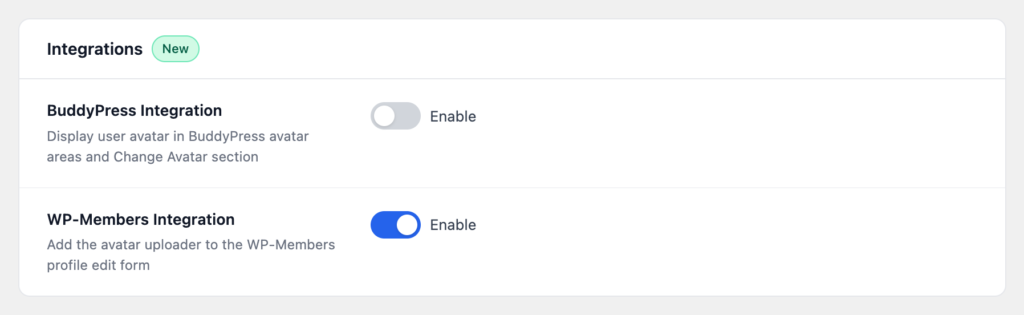
Notice the pattern: an integration is needed when a plugin either stores avatars itself or renders forms that cannot be hooked. Everything else is covered by the filter.
Ask one question: does it call get_avatar()? If yes, uploaded photos work with no configuration. If it maintains its own profile pictures, it will need an integration or a small piece of glue.
In practice you can answer this without reading any code. Set an avatar on a test user, then look at the plugin’s output. If the photo is there, you are done.
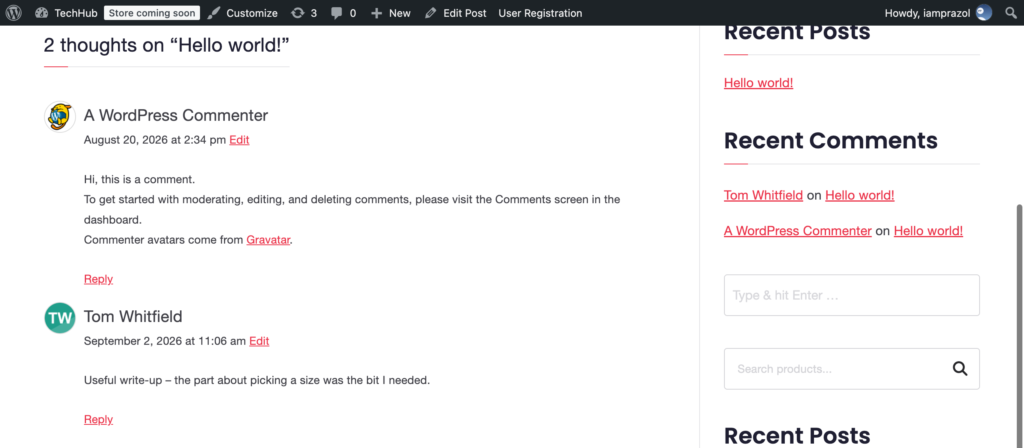
Things that work with no setting, on a typical site: blog comments, author boxes, the admin bar, the Users list, the block editor’s author panel, the REST API’s avatar_urls, block themes’ comment and post-author blocks, most forum and chat plugins including Better Messages, and WooCommerce reviews.
The same mechanism is your escape hatch. Because the plugin supplies avatars through pre_get_avatar_data, hooking that filter at a later priority lets you override the plugin entirely (it hooks in at priority 99, so use 100 or above) — for one user, one context, or one page:
add_filter(
    'pre_get_avatar_data',
    function ( $args, $id_or_email ) {
        // Return $args unchanged to accept whatever the plugin decided,
        // or set $args['url'] to override it here.
        return $args;
    },
    100,
    2
);
This is also how you would supply avatars for users who have not uploaded anything — generating one from their initials, say — without touching the plugin at all.
A plugin that solves a problem by hooking the core function everybody already uses will keep working with software nobody has heard of yet. A plugin that solves it by building a parallel system needs an integration for every one of those, forever.
When you evaluate any WordPress plugin that touches a core concept — avatars, users, comments, media — it is worth asking which of those two things it is doing. The answer predicts most of your future support tickets.