
 TUTORIAL
You are moving a membership site onto WordPress and you have a folder of five hundred profile photos named after email addresses. Setting those by hand is a week nobody has. Here is the script.
Three steps per user, and only the middle one is specific to avatars:
wpmake_aua_set_user_avatar().Save this as import-avatars.php and run it with wp eval-file import-avatars.php. It expects a directory of images named for the user’s email address — maya@example.com.jpg, and so on.
<?php
require_once ABSPATH . 'wp-admin/includes/image.php';
require_once ABSPATH . 'wp-admin/includes/file.php';
require_once ABSPATH . 'wp-admin/includes/media.php';

$dir   = '/path/to/photos';
$files = glob( $dir . '/*.{jpg,jpeg,png,webp}', GLOB_BRACE );

$done = 0;
$skipped = 0;

foreach ( $files as $file ) {
    $email = pathinfo( $file, PATHINFO_FILENAME );
    $user  = get_user_by( 'email', $email );

    if ( ! $user ) {
        WP_CLI::warning( 'No user for ' . $email );
        continue;
    }

    // Idempotence: never re-upload for a user who already has a photo.
    if ( get_user_meta( $user->ID, 'wpmake_advance_user_avatar_attachment_id', true ) ) {
        ++$skipped;
        continue;
    }

    $tmp = wp_tempnam( basename( $file ) );
    copy( $file, $tmp );

    $attachment_id = media_handle_sideload(
        array(
            'name'     => basename( $file ),
            'tmp_name' => $tmp,
        ),
        0,
        'Avatar for ' . $user->display_name
    );

    if ( is_wp_error( $attachment_id ) ) {
        WP_CLI::warning( $email . ': ' . $attachment_id->get_error_message() );
        continue;
    }

    if ( wpmake_aua_set_user_avatar( $user->ID, $attachment_id ) ) {
        ++$done;
    }
}

WP_CLI::success( $done . ' avatars set, ' . $skipped . ' already had one.' );The skip check comes before the upload. Re-running a script that sideloads first would fill your media library with duplicates on every run. Checking the user meta first makes the whole thing idempotent, which matters because you will run it more than once.
No capability check. Under WP-CLI there is no current user, so current_user_can() would be false for everything. The plugin’s setter deliberately does not call it — that is what makes this script possible. In a browser-facing handler you would call wpmake_aua_current_user_can_edit_avatar() yourself first.
The file is copied to a temp path. media_handle_sideload() moves the file it is given. Handing it your source file directly empties your source directory as it goes, which is a memorable way to learn this.
An imported photo is not resized to your configured avatar size and not cropped square — those are functions of the front-end uploader, not of the setter. Whatever you sideload is what users get.
So crop the source files square before the import, with ImageMagick or whatever your export produced them from. A batch of magick mogrify -resize 500x500^ -gravity center -extent 500x500 beforehand will save you a lot of oddly-cropped faces afterwards.
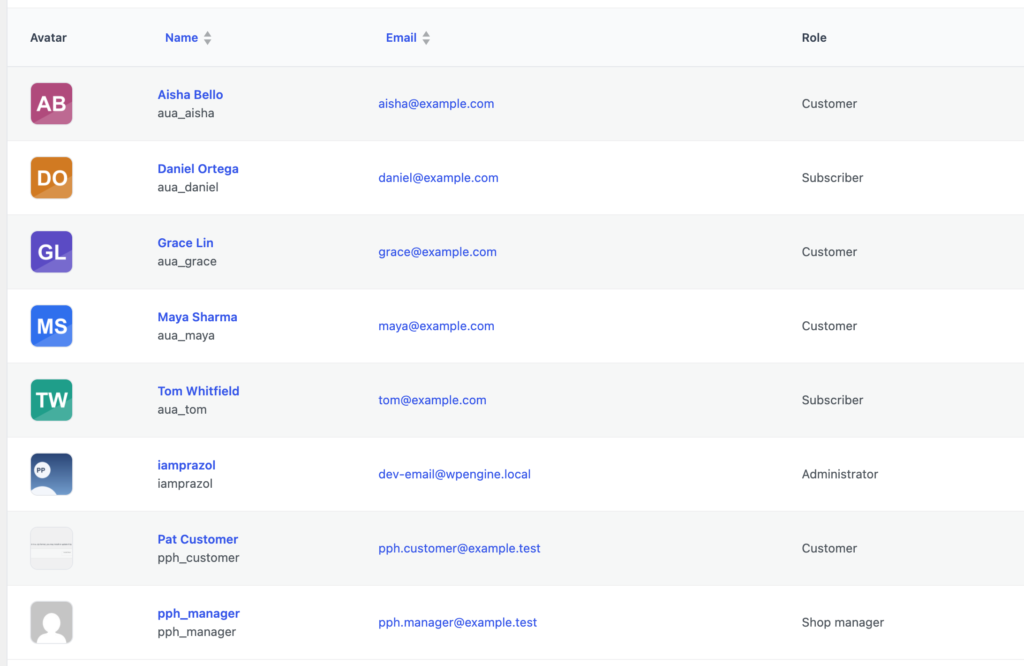
Then check your work in the admin. Users → Users Avatar → Manage Avatars lists every user with their current photo, which is the fastest way to see who the import missed.
Every successful call fires wpmake_aua_avatar_set with the user ID and the attachment ID. During a bulk import that is a convenient place to write your own migration log, or to flag accounts for a follow-up email letting people know their photo came across.