
 USE CASES
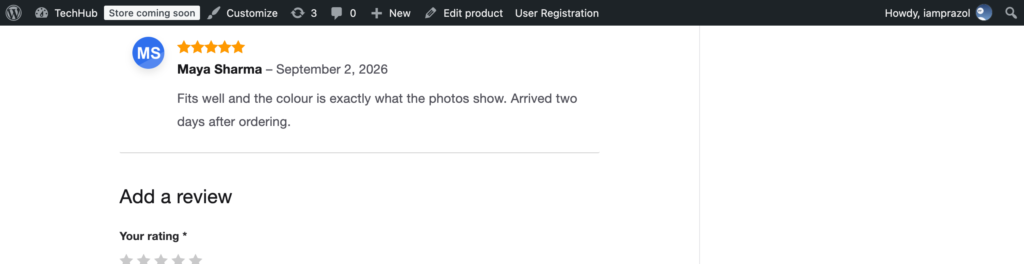
A product review does one job: convince a stranger that a real person bought this thing and had an opinion about it. Everything on the review — the star rating, the wording, the date, the name — feeds that judgement. So does the picture next to it, and on most WooCommerce stores that picture is a grey silhouette.
Most avatars on a WordPress site are seen by people who are logged in — members, staff, commenters. Reviews are different. They are read almost entirely by people who have never had an account with you, are deciding whether to give you money, and are actively looking for reasons to doubt what they are reading.
Five identical grey silhouettes stacked down a product page look like exactly what a sceptical shopper is scanning for: reviews that might not have come from people.
Be careful here, because this area attracts confident numbers with nothing behind them. What is reasonably well established is narrower than the marketing claims:
What nobody can tell you is what it is worth on your store. If conversion on product pages matters enough to justify the work, this is an A/B test worth running rather than an article worth believing.
WooCommerce reviews are WordPress comments, so they render whatever avatar WordPress supplies. With Advanced User Avatar installed, a customer who has uploaded a photo shows their photo on every review they leave, with no per-review work and nothing to moderate.
Product reviews is one of the display locations in the WooCommerce Display section of the settings, and it behaves slightly differently from the others — which is worth understanding before you touch it.
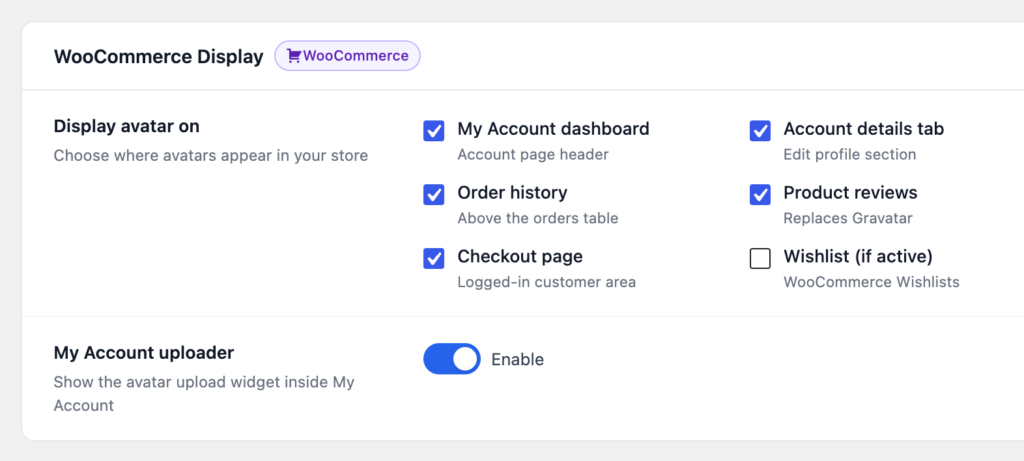
Every other location simply adds an avatar somewhere. Clearing the box means the avatar is not added. Clearing the Product reviews box instead hands reviews back to Gravatar — because reviews are public-facing content read by people with no account, and the plugin will not silently strip the avatar a review would otherwise have had. Avatars elsewhere on the site are unaffected either way.
This is where most stores fall down. The feature works perfectly and nobody uses it, because the upload lives on a page customers never open.
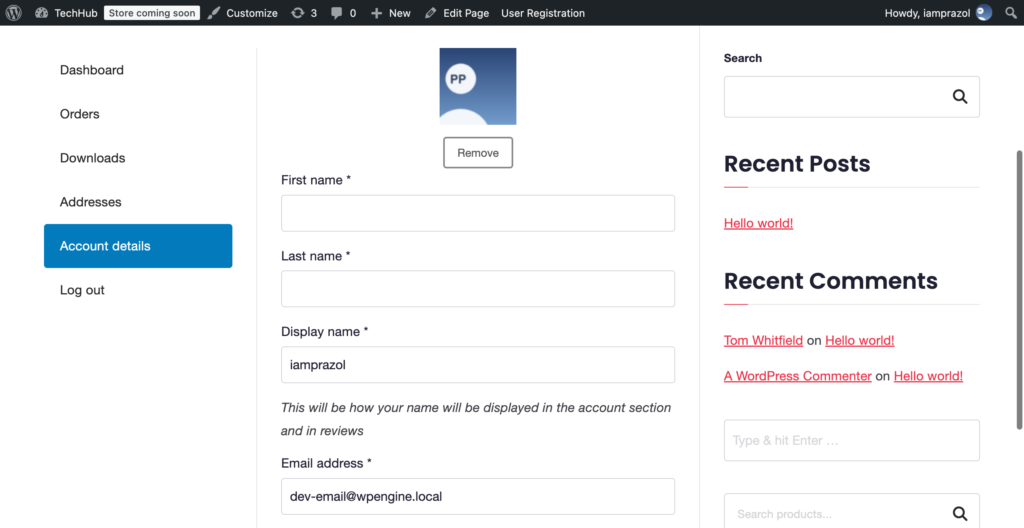
The fix is to put it where they already are. Switch on the My Account uploader and the widget is added to the Account details page — the same form customers use to change their name, email and password.
Two other things help:
Do not fabricate them. Assigning stock photos to customer accounts to make reviews look better is straightforwardly deceptive, likely to breach consumer protection rules in most markets, and reliably catastrophic when somebody notices. The plugin will happily let an administrator set any image as any user’s avatar; that capability exists for staff photos and support requests, not for inventing customers.
The value of a real face on a review is entirely that it is real. Get more of them by making it easy, not by manufacturing them.