
 TUTORIAL
Multisite makes almost every plugin question harder, because there are always two possible answers: per site, or per network. For avatars the answer is network — and most of what is surprising about running this on a network follows from that one fact.
WordPress multisite has one users table for the whole network. A person has one account, one email address and one set of user meta, no matter how many sites they belong to. An avatar is stored as user meta, so it inherits that: one photo per person, shown on every site they appear on.
That is usually what you want. A network of departmental sites, or a franchise with a site per location, should show the same face for the same person everywhere. It is worth knowing all the same, because it is not what happens with settings — those are per site.
Here is where it gets practical. If changing somebody’s avatar changes how they look on every site on the network, then an administrator of one site changing it is reaching into sites they may have no rights over.
So the Manage Avatars tab is limited to super administrators on a network. A site administrator does not get it, even though they would get it on a standalone install.
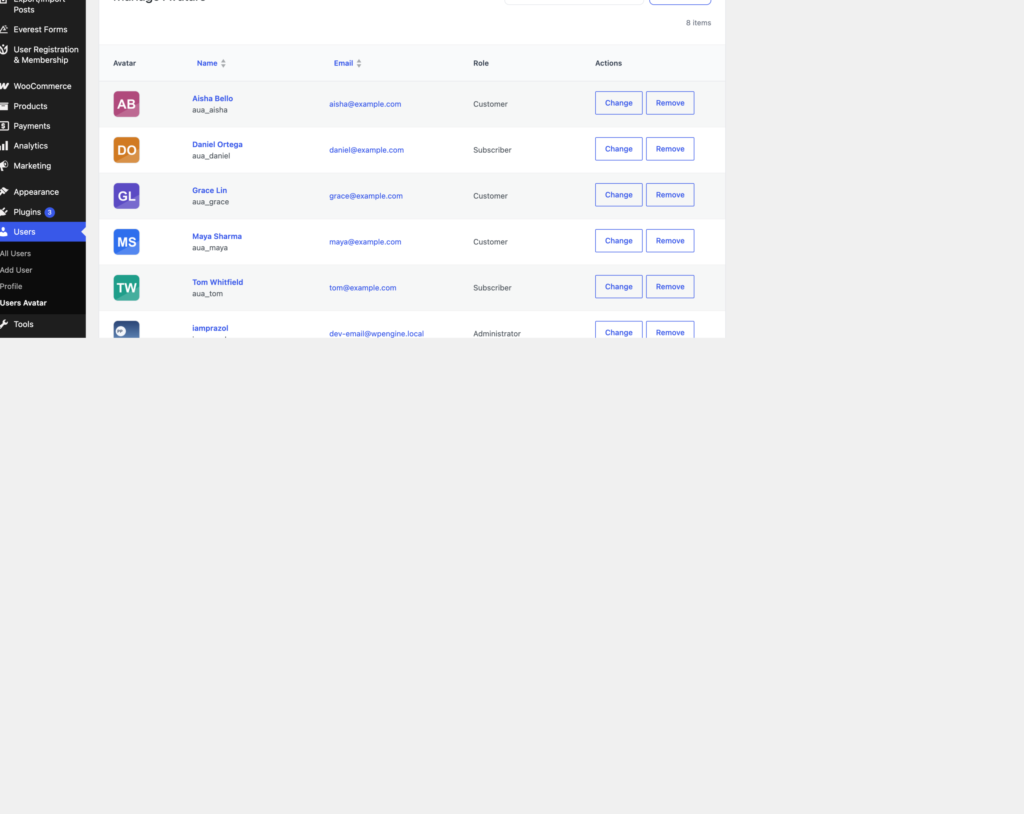
Everybody can still set their own picture, from the front-end widget or their profile screen. Nobody has lost the ability to manage themselves — only the ability to manage other people across site boundaries.
Uploads stay in the uploads directory of the site the upload was made on. If a user uploads a photo while on sites/4, the file lives there, and every other site on the network serves that URL.
The plugin records which site an avatar’s attachment belongs to, so it can resolve the URL correctly from any site on the network. Two things follow that are worth planning for:
<img> tags, but worth knowing if you have a strict Content Security Policy.Each site on the network has its own settings row, and answers for itself. Site A can allow WEBP and 2 MB uploads while site B allows JPG only at 500 KB. Site A can show avatars on WooCommerce reviews while site B does not.
There is no network-wide settings screen, which means a network administrator who wants a consistent policy has to set it per site — or script it, which for a large network is the sensible option:
wp site list --field=url | xargs -I % wp --url=% option patch update
wpmake_advance_user_avatar_settings max_size 2048The Delete all avatars and settings when the plugin is deleted option is a per-site setting, and each site answers for itself. A site that left it off keeps its avatars even if another site on the network switched it on.
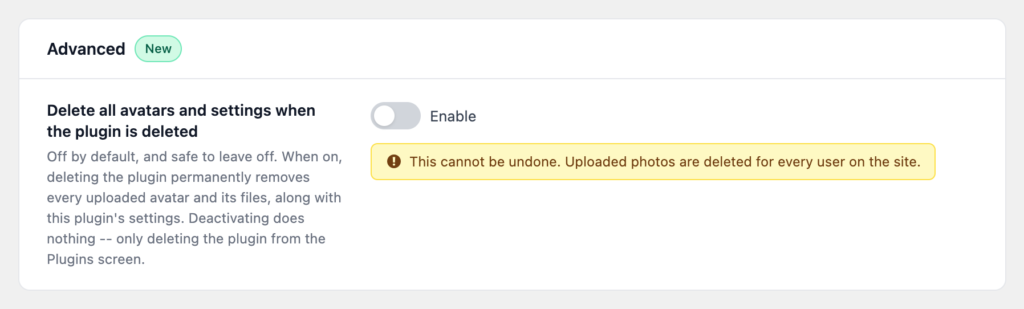
Given that avatars are network-wide but this switch is not, leaving it off across the network is the safe default. It is much easier to clean up deliberately later than to explain to two thousand users why their photos vanished when somebody tidied up a plugin on one site.
Do those five things and a network behaves exactly like a single site with more people on it, which is the most you can ask of any multisite feature.