
 TUTORIAL
An email arrives asking you to delete somebody’s profile picture. On most sites this turns into twenty minutes of uncertainty: where is the file, what else points at it, and did clicking Remove actually delete anything?
Here is the whole procedure, and the distinction that makes it make sense.
A user’s avatar is two separate objects:
Removing an avatar clears the reference. It never deletes the file. That is deliberate: the same image may be another user’s avatar, or in use in a post, and quietly deleting it would break those. Full erasure is therefore two steps, and doing only the first is the most common mistake.
Go to Users → Users Avatar → Manage Avatars, find the person — the search box takes a name, username or email address — and press Remove on their row. It asks for confirmation in the row itself.

The effect is immediate and site-wide. That person falls back to whatever WordPress would show without the plugin, everywhere their avatar appeared — comments, author boxes, the admin bar, the account pages. There is no cache to clear.
The same thing can be done from their profile screen at Users → All Users, or by the user themselves from the front-end widget if you have placed one. Any of the three has the identical effect.
Go to Media, find the image, and delete it permanently. Photos uploaded through the widget live in wp-content/uploads/wpmake-advance-user-avatar/, which makes them straightforward to identify — and the attachment’s author is the person the photo depicts, not the administrator who happened to upload it, so filtering the media library by author finds them.
Do the steps in this order. If you delete the attachment first, nothing breaks — the plugin notices and clears any references for you, so nobody is left pointing at a missing file — but clearing the reference first means there is never a moment where the site is trying to render an image that has gone.
The step people forget. Deleting the attachment removes the file and its generated sizes from your uploads directory, but the same image may exist elsewhere:
If you would rather script it, or need a record of what was done:
wp eval '
$user = get_user_by( "email", "person@example.com" );
$id   = (int) get_user_meta( $user->ID, "wpmake_advance_user_avatar_attachment_id", true );

wpmake_aua_remove_user_avatar( $user->ID );

if ( $id ) {
    wp_delete_attachment( $id, true );
}
'
Note the second argument to wp_delete_attachment(). Without it the attachment goes to the trash rather than being deleted, which is not what an erasure request means.
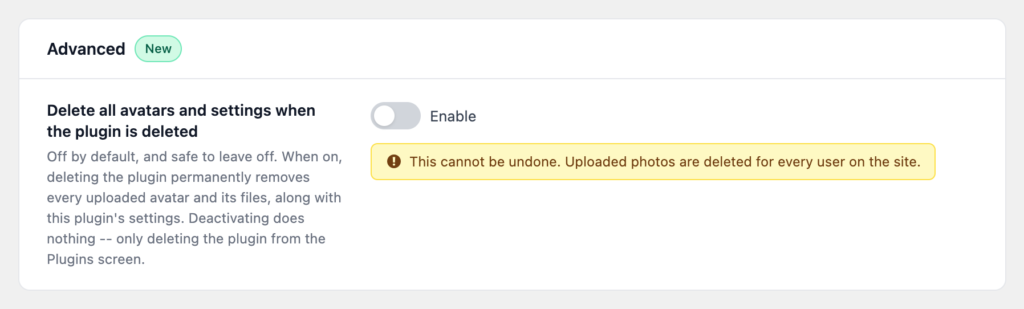
You do not need the plugin’s Delete all avatars and settings when the plugin is deleted setting. That is about uninstalling, it applies to every user at once, and it does not run on deactivation. It has nothing to do with honouring one person’s request, and switching it on in response to one would be a mistake.
Something like: your profile photo has been removed from your account and the image file deleted from our media library. It may persist in encrypted backups for up to N days, after which those are overwritten.
Specific, accurate, and takes about two minutes to make true — which is the argument for storing avatars on your own server in the first place. When the photo is fetched from a third party, none of these steps are available to you at all.