
 TUTORIAL
The reason your team page is half empty is not that people object to having their photo taken. It is that “find a photo of yourself, crop it, and upload it” is a four-step task, and four-step optional tasks do not get done.
“Press this button and smile” is one step. That is what webcam capture is for.
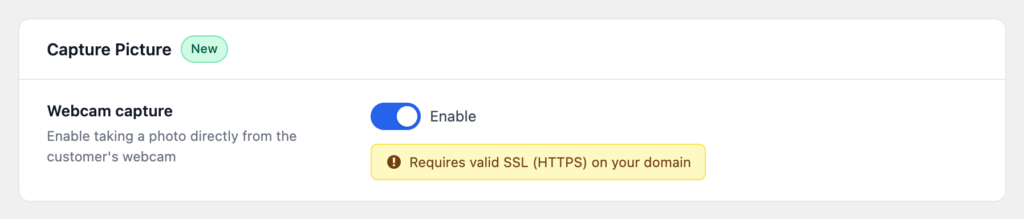
Go to Users → Users Avatar and find the Capture Picture section. Switch it on and save.
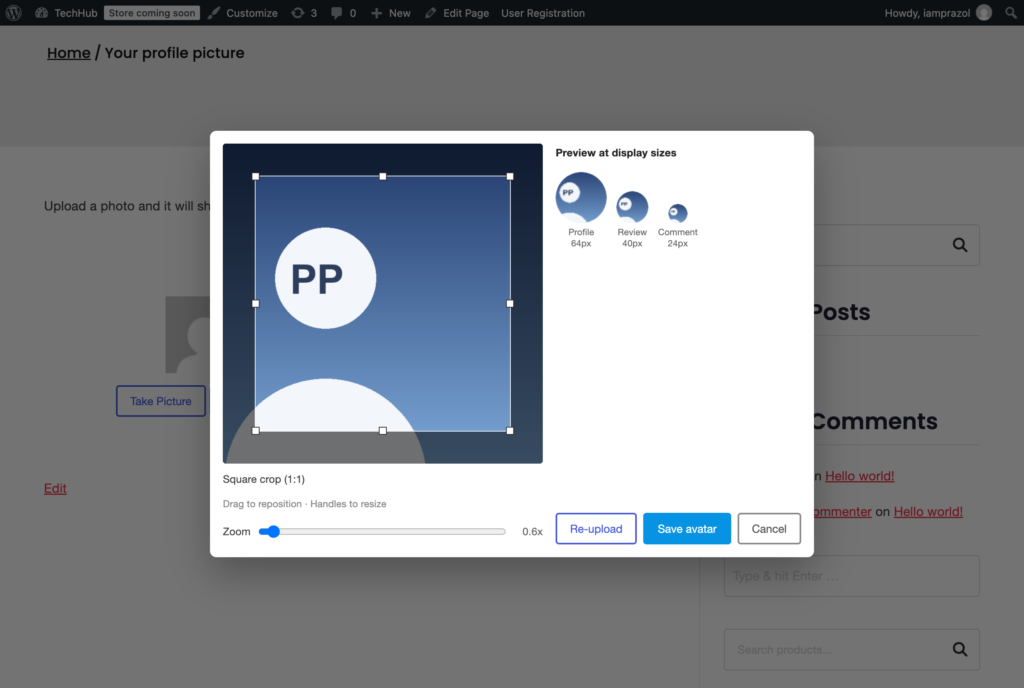
The uploader now shows a Take Picture button alongside the upload button. Pressing it opens the device camera, captures a still, and hands it to the same crop step a file would go through — so a webcam photo gets the same square framing and the same output size as everything else.
Your site must be served over HTTPS. This is not a plugin limitation and there is no setting that works around it: every current browser treats camera access as a powerful feature and refuses it outright on a plain http:// page. The button would appear and then fail, which is worse than not offering it.
The one exception is localhost, which browsers treat as a secure context for development. That is useful for testing and irrelevant in production.
If your site is not on HTTPS yet, leave this setting off and fix that first — it is free, it takes an afternoon, and a dozen other things on your site are quietly being held back by the same thing.
The first time, their browser asks for camera permission. That prompt comes from the browser, not from your site, and you cannot style it or pre-empt it.
If they decline, the uploader says so and the file upload route still works, so the feature degrades to exactly what you had before rather than leaving somebody stuck. Some people will always decline a camera prompt on a website, and that is a perfectly reasonable position for them to hold.
A practical note: on a laptop, the camera is above the screen and people look at the preview rather than the lens. A one-line hint — look at the camera, not at yourself — measurably improves the photos. You can add one with a hook, without touching a template:
add_action(
    'wpmake_advance_user_avatar_before_upload_buttons',
    function () {
        echo '<p class="description">Look at the camera, not at the screen.</p>';
    }
);Two reasons, both good ones.
It loads an extra script, and only when the setting is on. Most sites never need webcam capture, and there is no reason for those sites to carry the code.
Most sites are not on HTTPS at the moment somebody first opens the settings screen — local development environments especially. A feature switched on by default that cannot work is a support ticket waiting to happen.
Where it earns less: a consumer store. Customers are on their phones with a camera roll full of photos they already like, and they would rather pick one than take a new one on the spot. Switching it on there does no harm — it is just an extra button most people will not press.