
 TUTORIAL
You launch a site, sign up a few hundred members, and every single one of them shows the same grey outline of a head and shoulders. It looks like something is broken. Nothing is broken — WordPress is doing exactly what it was designed to do, and what it was designed to do stopped matching how most sites work about a decade ago.
WordPress does not store profile pictures. When a theme asks for an avatar, WordPress hashes the user’s email address, builds a URL at Gravatar, and puts that URL in an <img> tag. If that email address has a Gravatar account attached to it, a photo comes back. If it does not, Gravatar returns whichever default image your site is configured to use — usually the grey “Mystery Person” silhouette.
So the silhouette is not a placeholder for a photo that failed to load. It is a correct, successful response meaning we have never heard of this person.
Gravatar is a separate service with a separate sign-up. To have one, a person must have deliberately registered with the same email address they used on your site, and uploaded a photo there. Developers and long-time bloggers often have. Customers, students, club members and staff almost never do.
Which means the coverage on a typical site is upside down: the people whose faces you most want to show — your customers leaving reviews, your members posting in a forum — are exactly the ones least likely to be covered.
Under Settings → Discussion you can swap the silhouette for one of the generated patterns — Identicon, Wavatar, Retro, and so on. This does help: a deterministic pattern at least distinguishes one commenter from another. It is still not a face, and it is still a request to a third party.
Unticking Show Avatars removes the problem by removing the feature. Fine for a documentation site. Bad for anything where people talk to each other or leave reviews, because faces are a large part of what makes a comment thread feel like a place with people in it.
This is the one that never works. You are asking somebody to create an account on a service they have never heard of, in order to improve how they look on your site. Conversion on that request rounds to zero.
The only reliable way to get a real photo is to ask for it at a moment when the person is already logged into your site, in one step, with no other account involved. That is what Advanced User Avatar does: an upload widget you place on any page, storing the result as an ordinary attachment in your own media library.

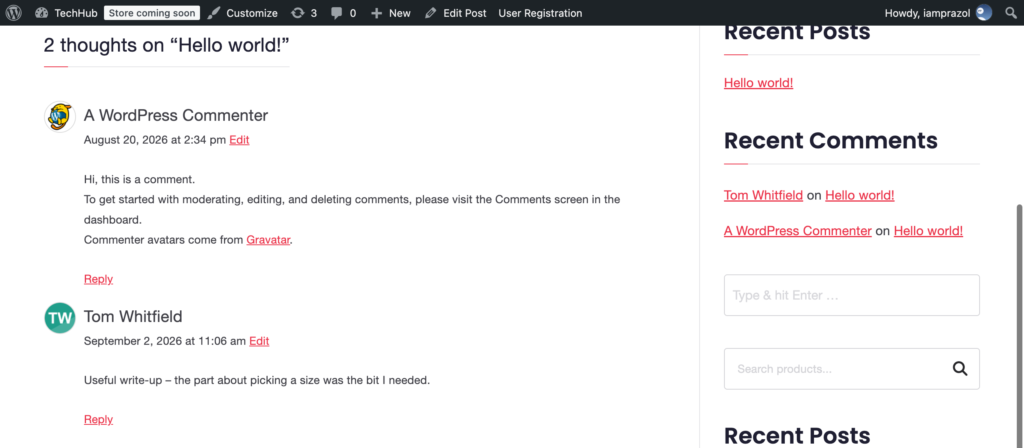
From then on the photo is used everywhere WordPress renders an avatar — comments, author boxes, the admin bar, the Users list, the REST API and the WooCommerce account pages — because the plugin supplies it through pre_get_avatar_data, the same filter WordPress uses internally. Nothing in your theme has to change.
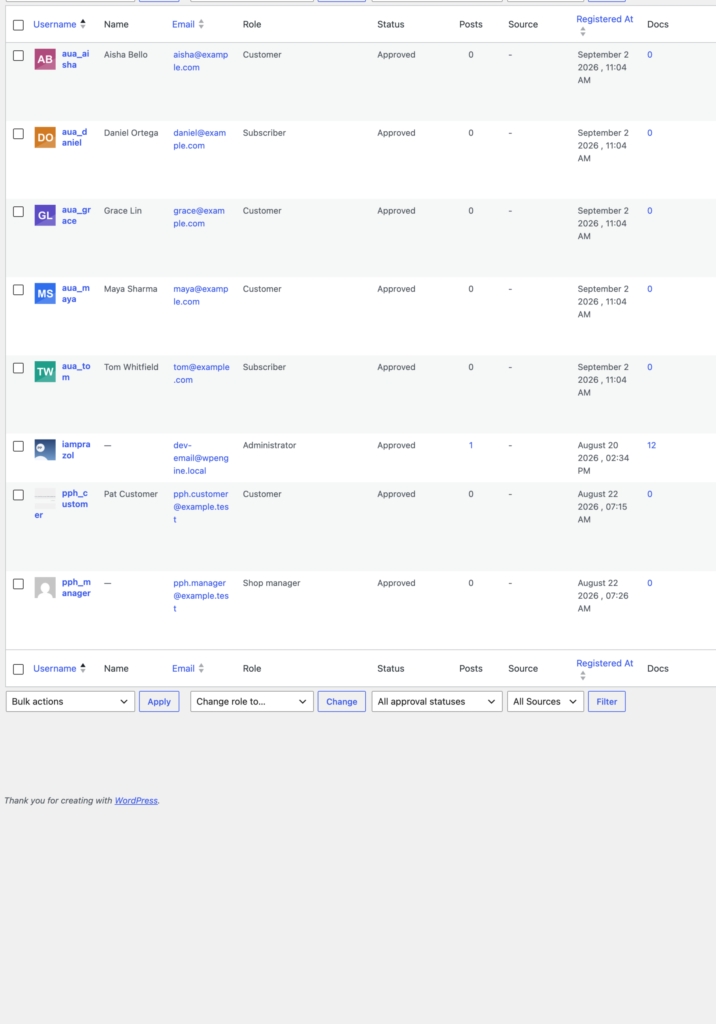
You will not go from all silhouettes to all photos overnight, and you do not need to. Users who have uploaded show their photo; users who have not keep falling back to Gravatar exactly as before. Nothing looks broken while your coverage climbs.
A few things move the number more than anything else:
None of this requires your users to know what a Gravatar is — which, in the end, is the point. The grey silhouette is a symptom of asking people to solve your identity problem on somebody else’s website. Ask them on yours instead, and most of them will.