
 TUTORIAL
The WooCommerce My Account orders page is a table with five columns and a View button. It is also one of the most-visited pages on a store after checkout, and one of the most frequently customised — which is why it is also one of the most frequently broken.
This is the reference post for changing that page safely. Everything else in this series links back here.
Two templates do almost all the work, and people confuse them constantly.
myaccount/orders.php — the list of orders, with its columns and its action buttons.myaccount/view-order.php — a single order, which then renders order/order-details.php for the items table.There is also myaccount/my-orders.php, which is the legacy shortcode version. If you find yourself editing it and nothing changes, that is why.
Ranked by how likely each is to break something, worst first.
The documented route, the one every tutorial teaches, and the fragile one. You copy orders.php into yourtheme/woocommerce/myaccount/orders.php and edit it.
What you have actually done is fork WooCommerce’s markup at one point in time. That copy will not receive any change WooCommerce makes to the original — not a markup fix, not an accessibility improvement, not a new hook that a plugin you install next year expects to find. Every WooCommerce template carries a @version in its header for exactly this reason, and WooCommerce → Status lists your overrides as out of date once the original moves on.
Worse, on this particular page you are probably not the first to fork it.
Add your markup through the hooks WooCommerce already fires, and leave the templates alone. Your change survives WooCommerce updates, survives a theme switch, and coexists with whatever else is on the page. This is the right default and most of this post is about it.
The same hooks, plus somebody else’s responsibility to keep them working. Worth it when what you want is a whole behaviour rather than a tweak. The thing to check before installing one: does it work through hooks, or does it replace the templates? A plugin that replaces orders.php has the same fragility as option 1 with less visibility.
Because myaccount/orders.php and view-order.php are the two templates that everybody wants to own.
Commercial themes — Astra, Kadence, Blocksy, Divi, Flatsome, Woodmart and others — restyle or replace the account area as part of their WooCommerce support, because a stock account page looks nothing like the rest of a designed theme. Page-builder add-ons do the same from the other direction: Elementor Pro, JetWooBuilder, ElementsKit and Iconic all offer some form of account-page control.
So your override is competing with theirs, and only one file wins the lookup. The symptoms are recognisable:
None of these are bugs in the theme or in WooCommerce. They are the predictable result of three parties forking the same file.
Do this before you write a line of anything.
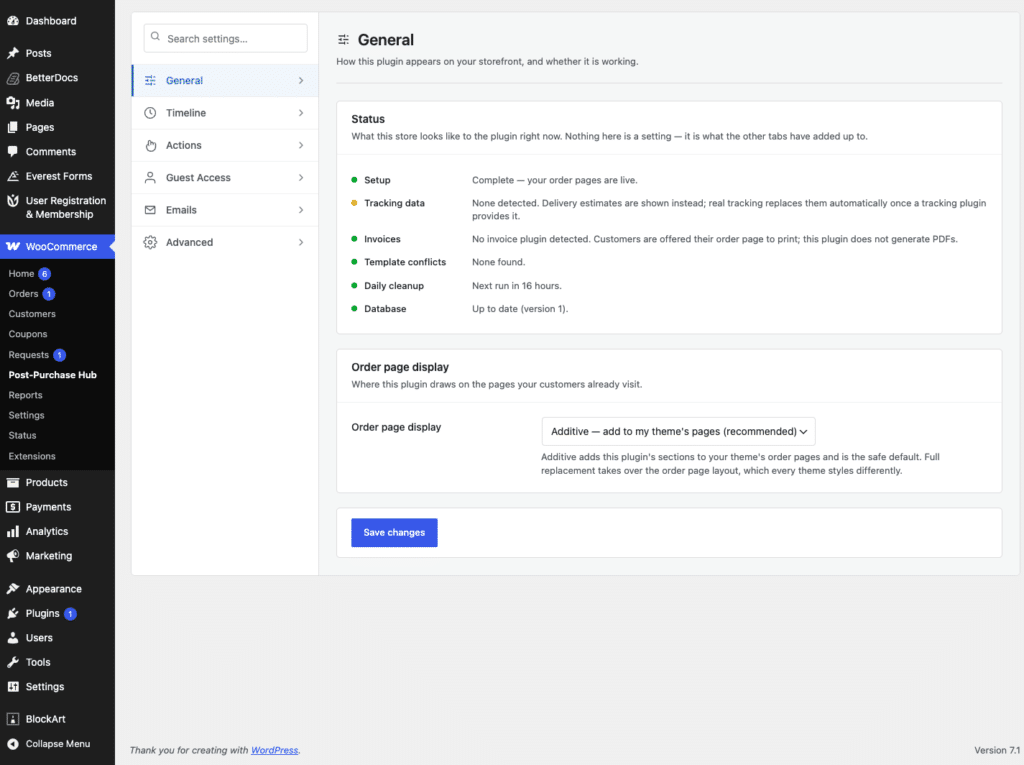
Go to WooCommerce → Status and scroll to Templates. Any template your theme overrides is listed there, with its version against WooCommerce’s. If myaccount/orders.php appears, your theme owns that file and a template override of your own is a fight you will keep having.
From the command line:
ls wp-content/themes/your-theme/woocommerce/myaccount/And in code, when you need to know at runtime which file is actually being used:
$path = wc_locate_template( 'myaccount/orders.php' );Four of them cover most of what people want.
woocommerce_my_account_my_orders_actions filters the array of buttons in the Actions column. It receives the actions and the WC_Order:
add_filter(
    'woocommerce_my_account_my_orders_actions',
    function ( $actions, $order ) {
        if ( ! $order->has_status( 'completed' ) ) {
            return $actions;
        }

        $actions['leave_review'] = array(
            'url'        => wp_nonce_url(
                add_query_arg( 'review_order', $order->get_id(), wc_get_account_endpoint_url( 'orders' ) ),
                'review_order_' . $order->get_id()
            ),
            'name'       => __( 'Leave a review', 'your-textdomain' ),
            'aria-label' => __( 'Leave a review for this order', 'your-textdomain' ),
        );

        return $actions;
    },
    10,
    2
);
Note that WooCommerce filters out malformed entries — an action without both a name and a url string is discarded rather than rendered. And the nonce in that URL is not decoration: hiding a button is not authorisation. There is a fuller treatment of that in the developer guide to this filter.
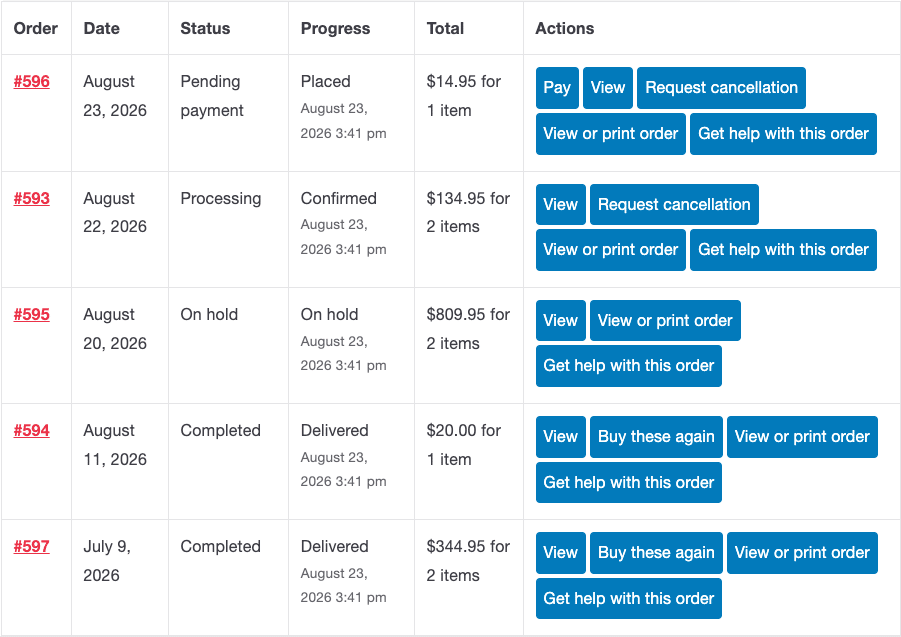
Two hooks working together. woocommerce_account_orders_columns declares the column; woocommerce_my_account_my_orders_column_{$column_id} renders each cell.
add_filter(
    'woocommerce_account_orders_columns',
    function ( $columns ) {
        $new = array();

        foreach ( $columns as $key => $label ) {
            $new[ $key ] = $label;

            if ( 'order-status' === $key ) {
                $new['order-progress'] = __( 'Progress', 'your-textdomain' );
            }
        }

        return $new;
    }
);

add_action(
    'woocommerce_my_account_my_orders_column_order-progress',
    function ( $order ) {
        echo esc_html( my_progress_label( $order ) );
    }
);
Rebuilding the array rather than appending is what lets you place the column where you want it instead of always at the end, after Actions.
One naming trap. The filter for the columns is woocommerce_account_orders_columns. The older woocommerce_my_account_my_orders_columns was deprecated in WooCommerce 2.6 and still works through the deprecated-hooks shim, so code using it appears to function while quietly logging a deprecation. Use the current name. The per-column action, confusingly, does still carry the long prefix: woocommerce_my_account_my_orders_column_{$column_id}.
woocommerce_view_order fires inside the view-order template with the order ID. woocommerce_order_details_after_order_table fires after the items table with the order object, and is usually the better choice — it also runs on the order-received page, so one hook covers both.
add_action(
    'woocommerce_order_details_after_order_table',
    function ( $order ) {
        if ( ! $order instanceof WC_Order ) {
            return; // Refunds and other order types also reach this hook.
        }

        echo wp_kses_post( my_timeline_html( $order ) );
    }
);
That type check is not paranoia. Several order-adjacent objects pass through this hook, and assuming a WC_Order is a reliable way to produce a fatal error on somebody else’s store.
Beyond the four above, three more cover most remaining cases before anyone needs to touch a template.
woocommerce_before_account_orders and woocommerce_after_account_orders — either side of the orders table, and they receive $has_orders, so you can render something different for a customer with no orders.woocommerce_order_details_before_order_table — above the items on a single order, which is usually where a timeline or a delivery estimate wants to be rather than below.woocommerce_account_menu_items — the account navigation, for adding or reordering endpoints without rebuilding the menu template.The empty state is worth calling out. A customer with no orders sees a notice and nothing else, and it is the one state nobody tests because test accounts always have orders. Create a fresh customer and look at the page before you ship.
There are three customer-facing order views and people habitually change the wrong one.
| What the customer sees | Template | When |
|---|---|---|
| Their list of orders | myaccount/orders.php | My Account → Orders |
| One order, from the account | myaccount/view-order.php | Clicking View |
| Thank-you page after checkout | checkout/thankyou.php | Immediately after paying |
The last two both render order/order-details.php for the items table, which is why woocommerce_order_details_after_order_table is such a useful hook: one callback covers the order page and the thank-you page. That is usually what you want — a delivery estimate is most valuable at the moment of purchase — but it means testing both, because the thank-you page is often reached by a guest with no session.
A short diagnostic order, because the failure is nearly always one of five things.
error_log() at the top of the callback. Half of these end here, usually because the snippet is in a plugin that is not active or a child theme that is not the active theme.my-orders.php and the current orders.php both exist, and page builders may be rendering neither.name and url, silently.WooCommerce has a Customer Account block, and block themes render the account area differently from classic ones. If your store uses it, some template-based assumptions stop holding — but the hooks above are fired by the underlying rendering, so hook-based changes are much more likely to survive the transition than a forked template is.
This is a further argument for hooks over overrides: you are betting on the extension points rather than on the markup, and the markup is the part that changes.
@version so you know what to diff against later.esc_html(), esc_attr(), esc_url(), and wp_kses_post() only where you genuinely need markup.Everything else in this series builds on this page. Adding a status timeline and adding a working reorder button are the two most common requests. The plugin category split between design and behaviour is worth understanding before you buy anything for this page, because the two kinds of plugin want the same templates and will fight over them.