
 USE CASES
Flash sales bring in orders fast, and cancellations arrive on the same curve about forty minutes behind them. Mis-taps, duplicate orders and plain buyer’s remorse all spike together, usually while you are busy watching the sale itself.
None of that is avoidable. What is avoidable is handling it one email at a time. Here is what to change before the sale starts, and how to work the surge when it lands.
The predictable shape is useful: most requests arrive inside the first hour or two, not spread across the day. Plan for a burst, not a trickle.
The instinct is to shorten the cancellation window for sale days. In Post-Purchase Hub there is no timer to shorten — eligibility is driven by Cancellable statuses on the Actions tab, a set of checkboxes over your WooCommerce statuses. Your lever is that list, not a clock.
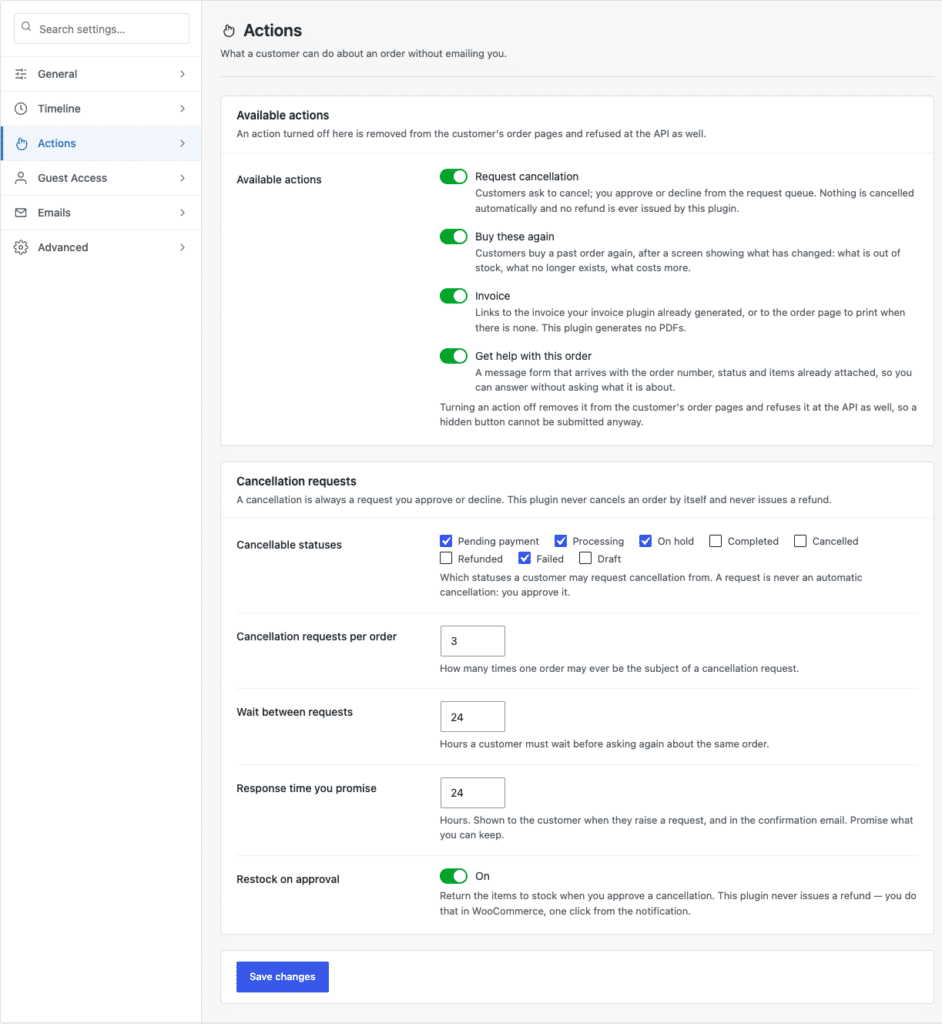
Three adjustments worth making the day before:
Treat all three as temporary and write the original values down before you change them. The settings screen has a Search settings… box that filters as you type, so putting them back afterwards takes a minute. Your normal cancellation rules should return the moment the rush is over.
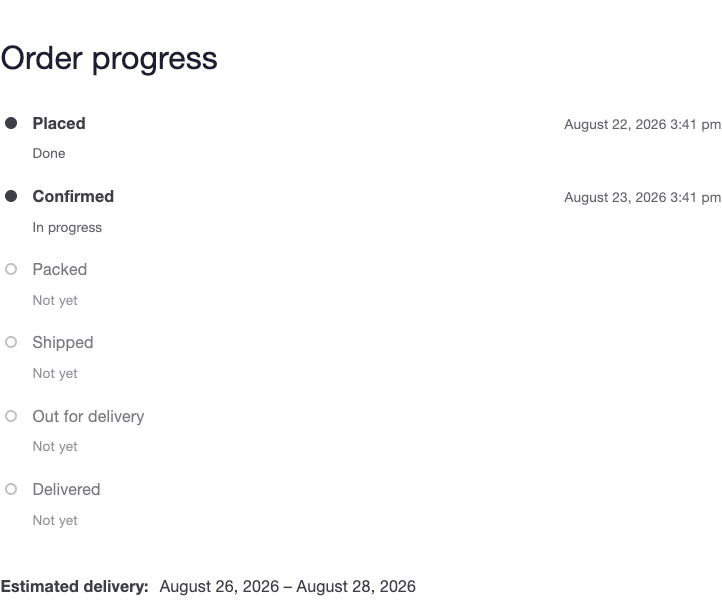
This one gets forgotten and causes more support email than the cancellations do. Your delivery estimate is calculated from Handling time in business days, and a sale that triples your order volume does not triple your picking capacity.
If picking takes two days during a sale, set handling time to two days for the sale period — or use Handling time per shipping method if only some methods are affected. A visible, honest estimate on the order timeline is what stops the second wave: the “when will this actually ship?” messages that arrive two days after the cancellations.
Requests land at WooCommerce → Requests, with a count in the menu of everything waiting on you. During a sale this is the entire advantage: one screen with All types and All statuses filters, sortable columns, and Approve or Decline on each pending row.
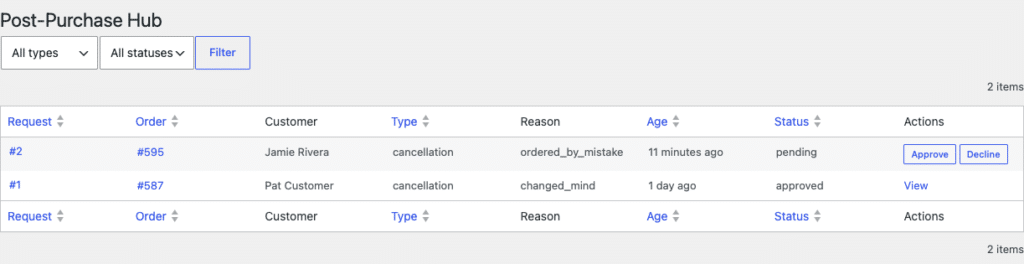
A rhythm that holds up under volume:
If you were hoping to skip the review entirely, the honest answer on auto-approval explains why the plugin will not decide these for you — and why narrowing the status list does more for your workload than an approval rule would have.
With Restock on approval switched on, every approved cancellation returns items to stock immediately. During a sale that is usually what you want — the stock goes back on sale while the sale is still running. It is only wrong if you reconcile inventory by hand, in which case a burst of approvals will quietly inflate your counts.
Either way, remember that refunds are separate. Approving changes the order status; the refund is still done in WooCommerce, one click from the notification. Budget time for that after the rush — it is the step most likely to be forgotten in the noise.
That last one is worth twenty minutes. Sale cancellations cluster around fixable causes far more often than normal ones do: a variant picker that confuses on mobile, a discount that reads ambiguously, a shipping cost that only appears at checkout.