
 TUTORIAL
Two policies shape almost everything customers experience after checkout: how long they can change their mind, and what happens when the parcel arrives and they do not want it. Most stores write both as a wall of legal text nobody reads, then handle every case by email anyway.
Here is how to set both so they hold up — starting with the thing most merchants get wrong about cancellation windows.
The instinct is to set a clock: cancellable for thirty minutes, then locked. Post-Purchase Hub deliberately has no such setting. Eligibility is driven by order status. Under WooCommerce → Post-Purchase Hub → Actions, Cancellable statuses is a row of checkboxes over your own WooCommerce statuses — Pending payment, Processing, On hold, Completed, Cancelled, Refunded, Failed, Draft, plus any custom ones your other plugins add — and the button vanishes the moment an order moves out of the ones you ticked.
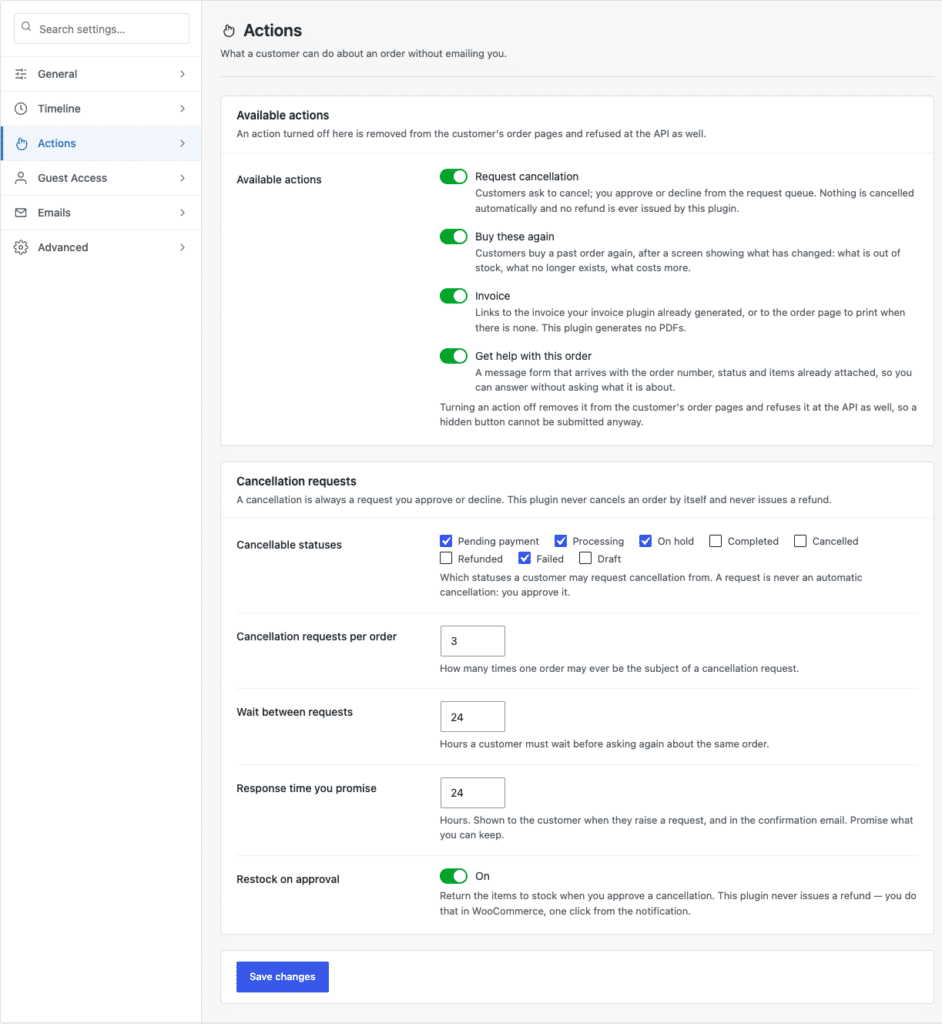
Once you sit with it, the status model is the better one. A timer can leave a packed, labelled parcel technically cancellable at minute twenty-nine. Status tracks what has actually happened to the goods. Your real cancellation window is therefore however long orders sit in your ticked statuses before someone picks them — which means the lever is your fulfilment workflow, not a settings field.
Pull up a week of orders and look at how long each stayed in a status before moving. That number is your window. Then choose accordingly:
If the numbers say your real window is three minutes, that is not a reason to fake a longer one. It is a reason to add a short holding status before picking — custom statuses appear in this list like any other — which buys real time and keeps the button honest.
Restock on approval is the fourth switch. Turn it on if your stock counts are accurate; leave it off if you reconcile stock by hand, otherwise approvals will quietly inflate your inventory. Either way refunds are unaffected — those stay in WooCommerce, one click from the notification.
Worth being clear about this, because it changes how you write the policy. Post-Purchase Hub handles cancellation requests. It does not run an RMA workflow, generate return labels, or issue refunds — the readme is explicit that it never touches a payment gateway. What it gives you is the intake: the Get help with this order action, a message form that reaches you with the order number, status and items already attached, instead of a free-form email you have to decode.
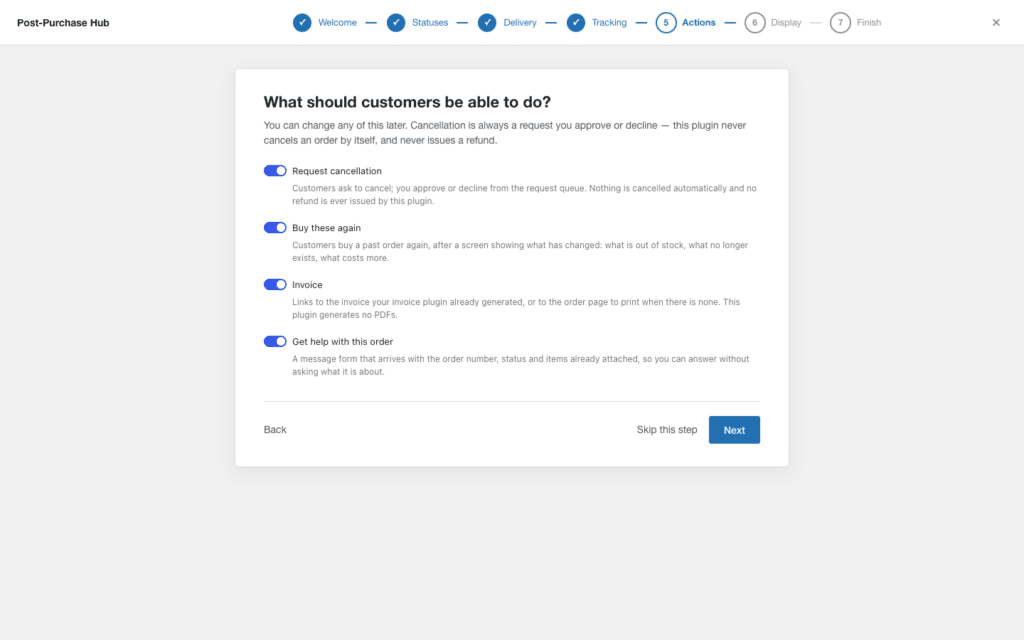
So the return policy itself is yours to write and yours to run. The plugin’s job is making sure the request reaches you with context attached.
Skip the boilerplate. Three facts, in this order, in plain language:
Then add the fourth thing almost nobody writes down: what happens next, and how long it takes. “We refund within three working days of the parcel arriving with us” prevents a whole category of follow-up email.
Customers skim. A policy readable in ten seconds gets followed more often than a thorough one nobody finishes. If you fulfil through a supplier, build the window around the supplier’s shipping time rather than your own — a thirty-day policy that assumes three-day delivery falls apart when the parcel takes two weeks to arrive.
Whatever you write on the policy page, the sentence customers actually read is the one in the request dialog: “This sends a request to the store — it does not cancel your order right away. We usually respond within 24 hours.” The number in it is the Response time you promise field, which is a good reason to keep that field honest.
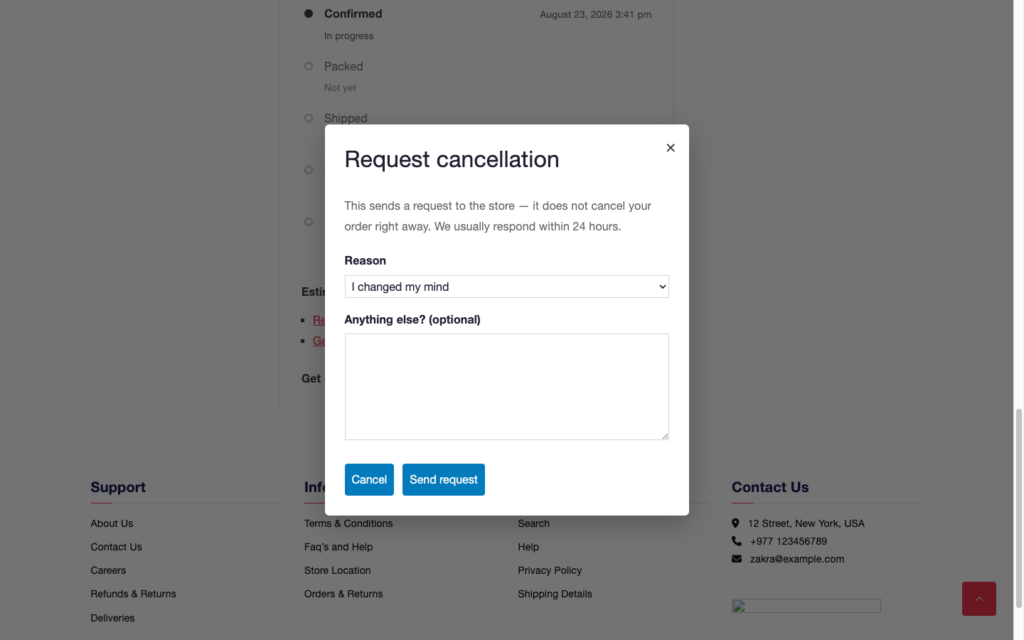
That reason list is worth paying attention to. Requests are stored with the reason attached, so a month of them usually points at something fixable — a misleading product photo, a delivery estimate that reads slower than it is, a variant picker that misbehaves on mobile.
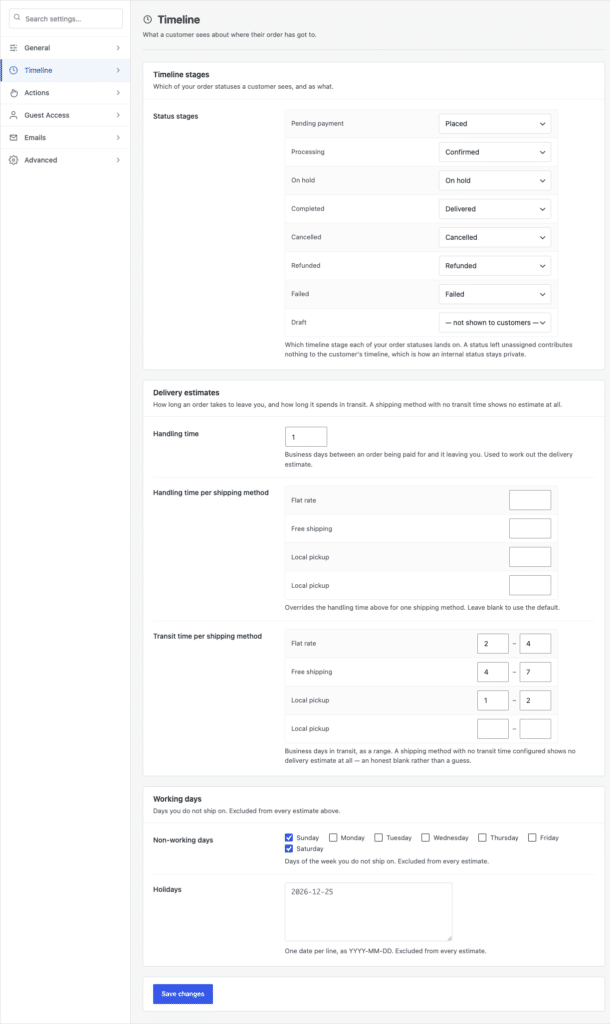
A cancellation policy is easy to defend when the delivery promise beside it is accurate. Under Settings → Timeline → Delivery estimates, handling time and per-shipping-method transit ranges produce the window customers see, and the Working days card below excludes your non-working weekdays and any holiday dates you list. An estimate that consistently holds removes most of the impatience that drives cancellations in the first place.
If you have not set the actions up yet, start with the self-service cancellation walkthrough. For the queue side — how to work requests quickly without pretending you can automate the decision — see cancellation request rules and the auto-approval question. If you are about to run a sale, flash sale cancellations covers what changes when volume spikes. Subscription stores have a rhythm of their own — running a subscription box on Post-Purchase Hub covers what changes when the same customer orders every month.