
The plugin adds a Profile Picture field to the WordPress profile screen — Users → Profile for your own account, or Users → All Users and then a name for somebody else’s. It is the first place most people look, and it needs no front-end placement at all.
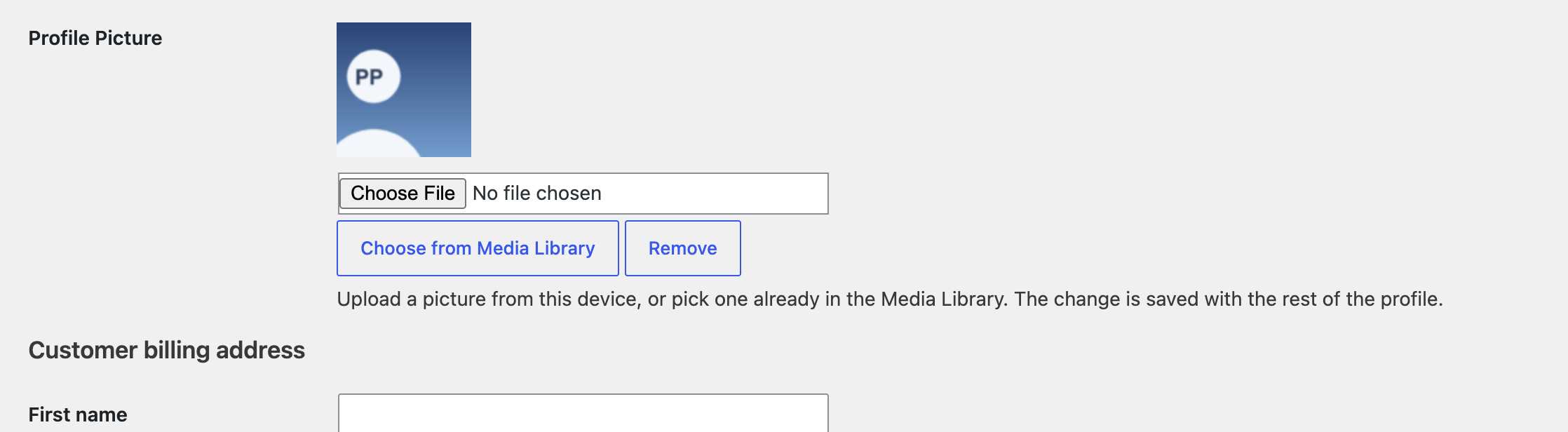
Three ways to set it #
- Choose File — upload a picture from this computer.
- Choose from Media Library — pick one that is already on the site.
- Remove — clear the current picture and fall back to Gravatar.
Whichever you use, the change is saved with the rest of the profile: scroll to the bottom and press Update Profile. Nothing is written until you do, so a change you decide against can be abandoned by leaving the page.
The preview above the buttons updates as soon as you pick something, so you can see what you are about to save.
Whose profile you may edit #
The same rule as everywhere else in the plugin: your own picture is always yours to change, and somebody else’s requires permission to edit that user. A subscriber or customer with access to their profile screen sees the field for their own account and nobody else’s.
The Choose from Media Library button needs the ability to upload files, so it appears for authors, editors and administrators, not for subscribers.



