
The Upload & Image section decides what your users are allowed to upload and what you keep once they have.
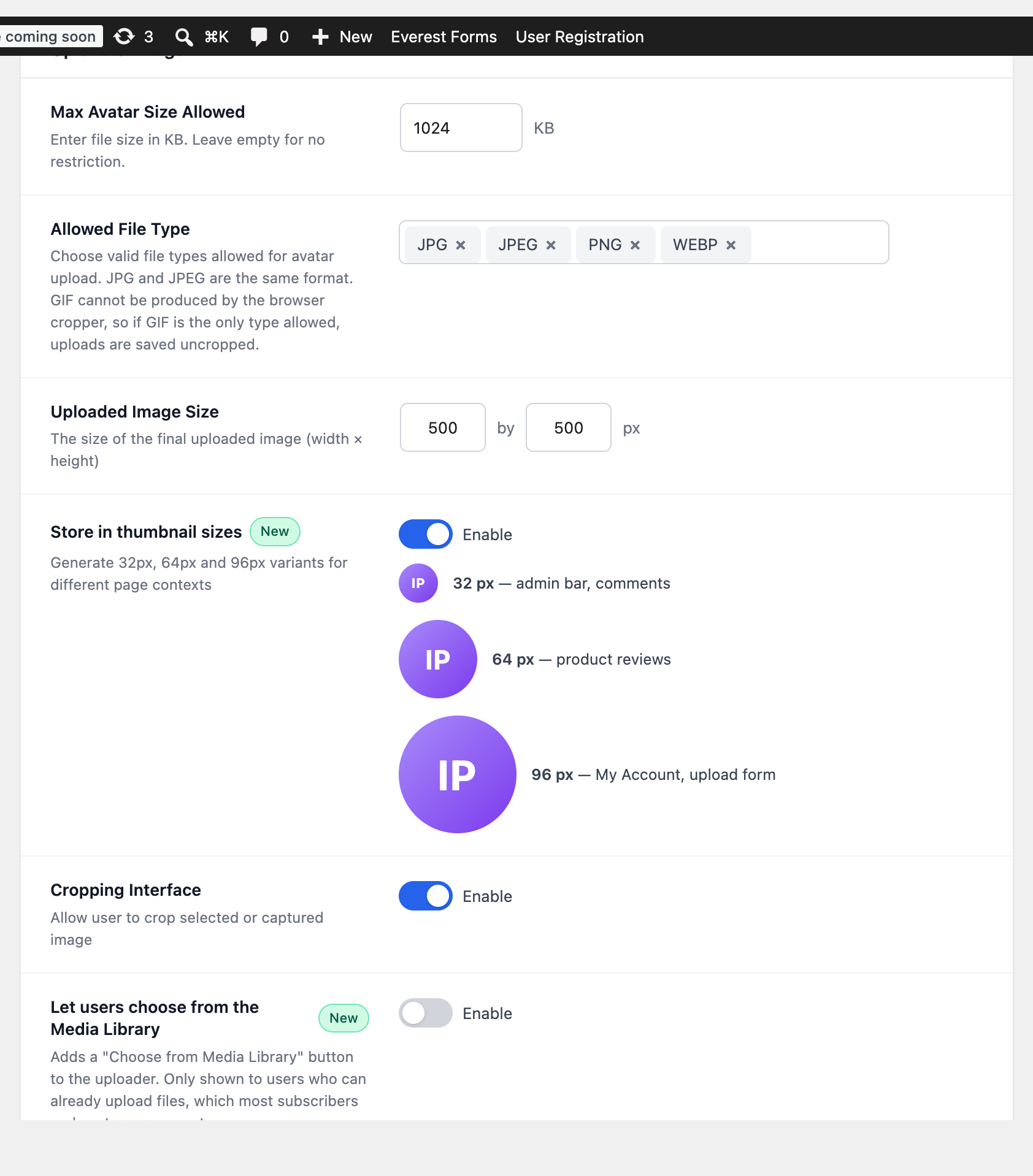
Max Avatar Size Allowed #
A ceiling in kilobytes, 1024 KB (1 MB) by default. Leave it empty for no limit of your own, in which case your server’s upload limit applies. A photo straight off a phone is often 3–5 MB, so if you raise this, raise it deliberately.
An upload over the limit is refused with a message telling the user what the limit is, rather than failing silently.
Allowed File Type #
Pick any combination of JPG, JPEG, PNG, WEBP and GIF. Two things are worth knowing:
- JPG and JPEG are the same format. Tick both unless you have a reason not to, since browsers and cameras disagree about which extension to use.
- The browser cropper cannot produce a GIF. If GIF is the only type you allow, uploads are saved uncropped.
The type is checked from the contents of the file, not from its name, so renaming script.php to photo.jpg does not get it past the check.
Uploaded Image Size #
The size the final picture is stored at, 500 × 500 pixels by default. This is the master copy; it is not the size anything is displayed at. 500 square is a good default — large enough for a retina profile header, small enough not to fill your uploads folder.
Store in thumbnail sizes #
With this on, three extra square copies are generated on upload — 32, 64 and 96 pixels — and WordPress picks the closest one for the context. A 32-pixel avatar in the admin bar then downloads a 32-pixel file instead of the 500-pixel original.
Leave it on. The extra files are a few kilobytes each, and the saving on a page with a dozen avatars is substantial. These sizes are generated for avatar uploads only, so nothing else in your media library grows extra files.
Let users choose from the Media Library #
Off by default. When on, the uploader gains a Choose from Media Library button, so a photo already on the site can be reused instead of uploaded again.
The button is only ever shown to someone who can already upload files — authors, editors and administrators. Subscribers and WooCommerce customers cannot, so they never see it, whatever this setting says. On a store whose users are all customers, leaving it off changes nothing.
Picking an image from the library does not copy it. The same file can be the avatar of any number of users, and removing an avatar never deletes it.


