
The plugin has two admin screens, both under Time Locker in the main admin menu, and one panel inside the post editor.
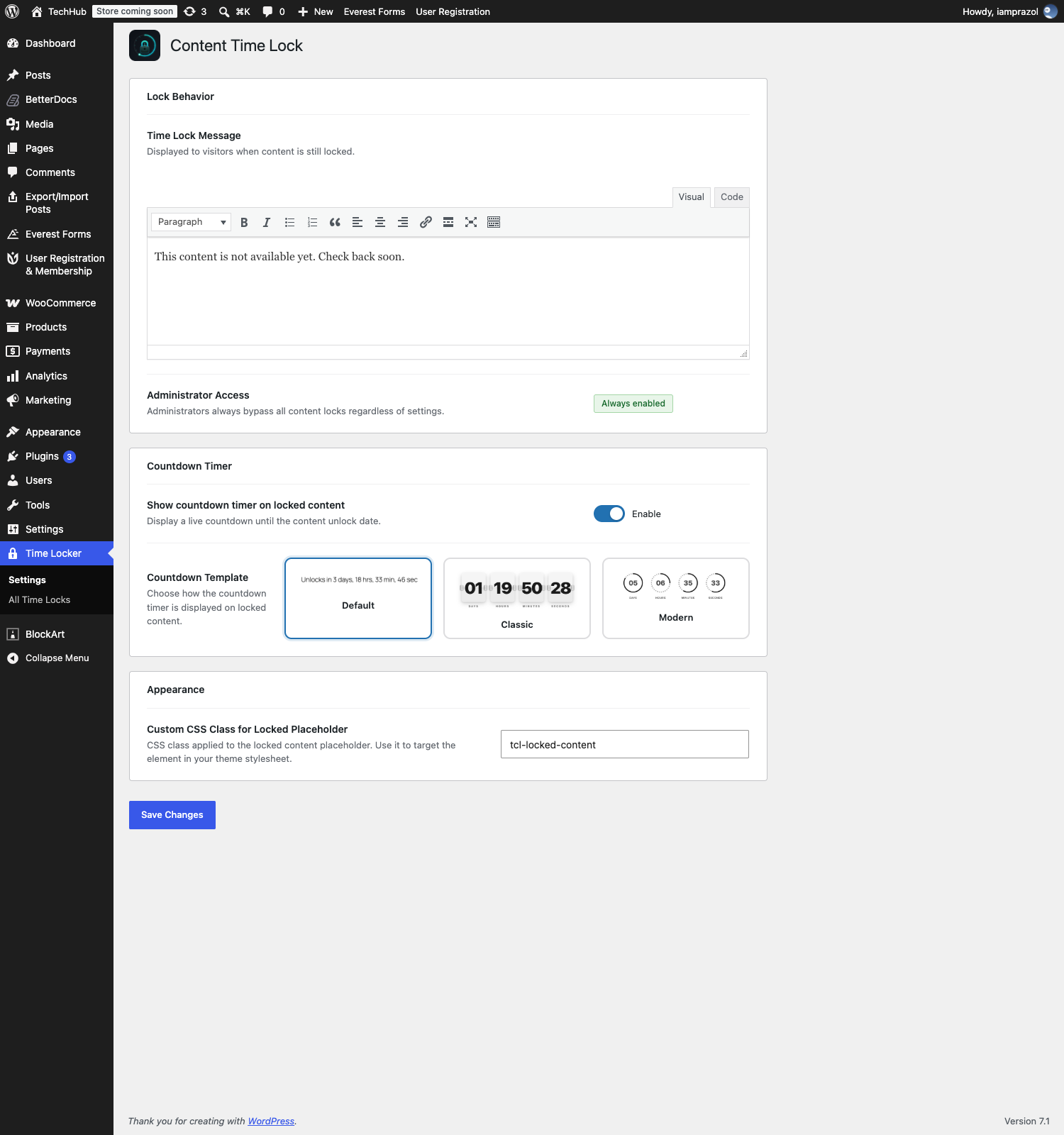
Time Locker → Settings #
Your site-wide defaults: the message people see, whether a countdown is shown and in which style, and the CSS class on the locked card. Every locked page uses these unless you override them on the page itself.
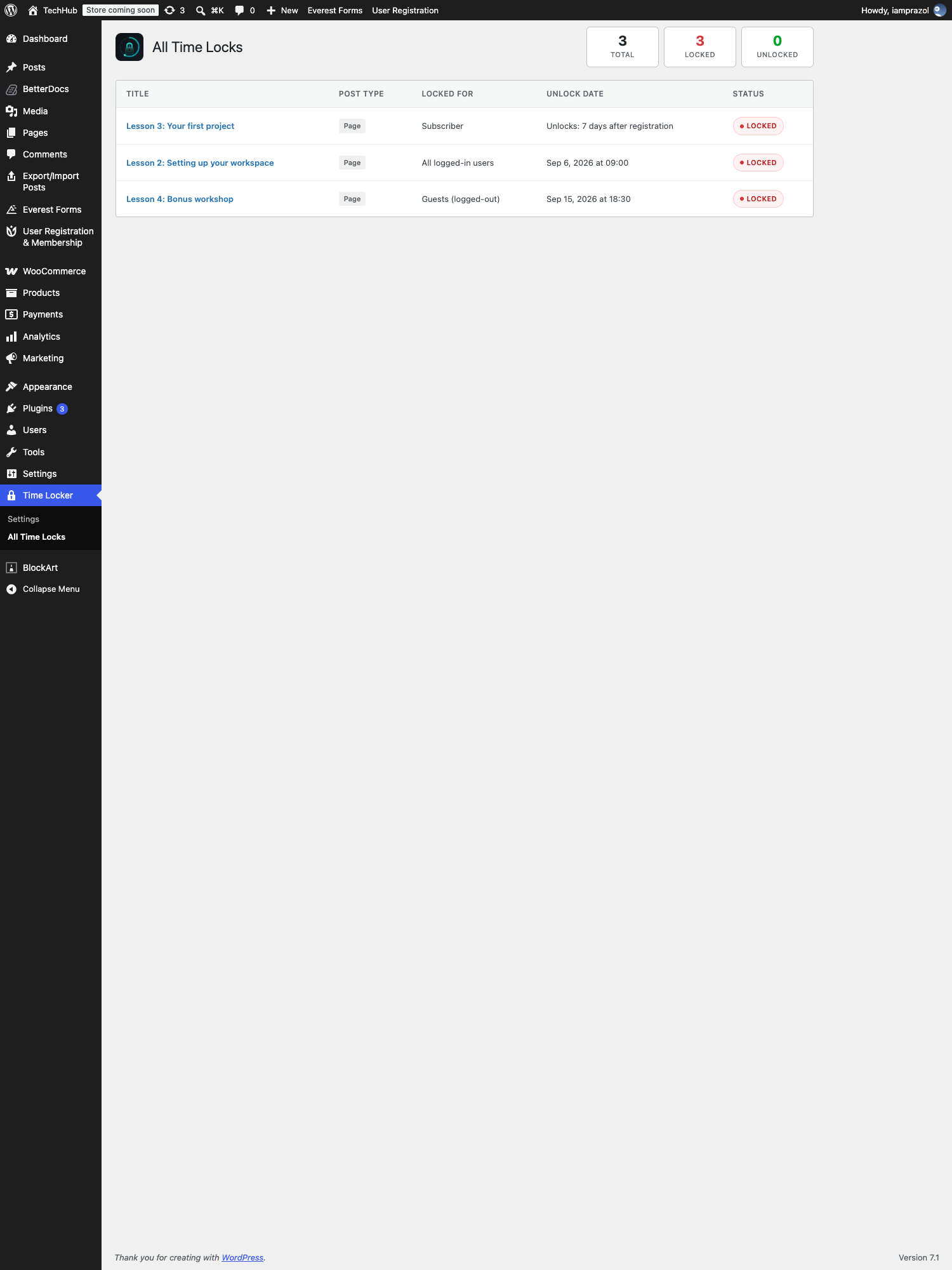
Time Locker → All Time Locks #
Every post and page with a lock on it, with counts of how many are locked and how many have opened. Covered in Managing all your locks.
The Time Lock Content panel #
Per-page settings live in the editor, not on the settings screen. In the block editor the panel sits at the bottom of the screen, behind the Meta Boxes drawer — click that bar to open it. In the classic editor it is below the content as an ordinary panel.
The Time Lock block #
For locking part of a page rather than all of it, there is a block called Time Lock in the inserter. It carries its own copy of the same settings, applied to whatever you put inside it.


