
Content Time Lock hides the content of a post or page from the people you choose, and reveals it automatically when the time comes. Nobody has to remember to publish anything: you set the moment once, and the content opens itself.
It was built for course creators releasing lessons on a schedule, but the mechanism is general — anything you want people to reach later rather than now.
Two ways to time a lock #
- A fixed date and time. Everyone sees the content open on the same calendar date. Right for a cohort that starts together, or a launch.
- A number of days after each person registers. Every user gets their own schedule, counted from the day their account was created. Right for a self-paced course people join whenever they like.
What the visitor sees #
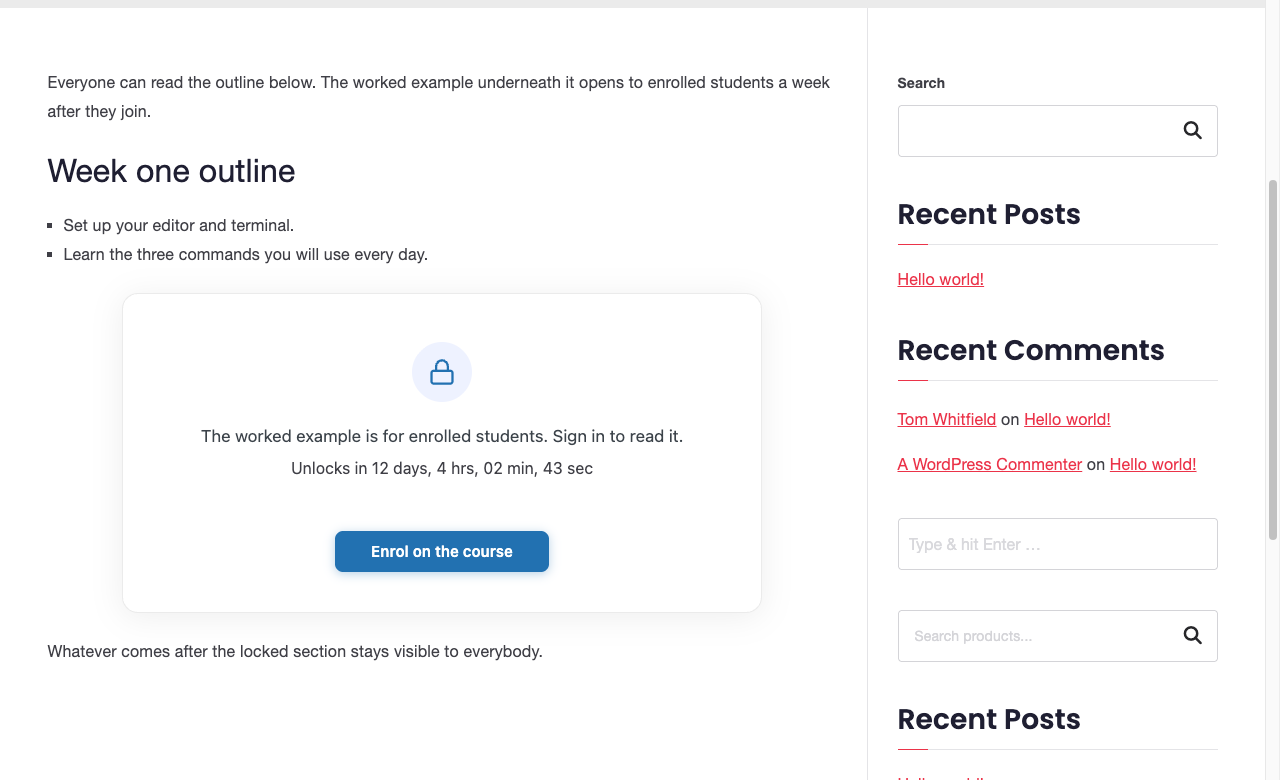
Instead of the content, a card with a lock icon, the message you wrote, and — if you want one — a live countdown and a button pointing somewhere useful in the meantime.
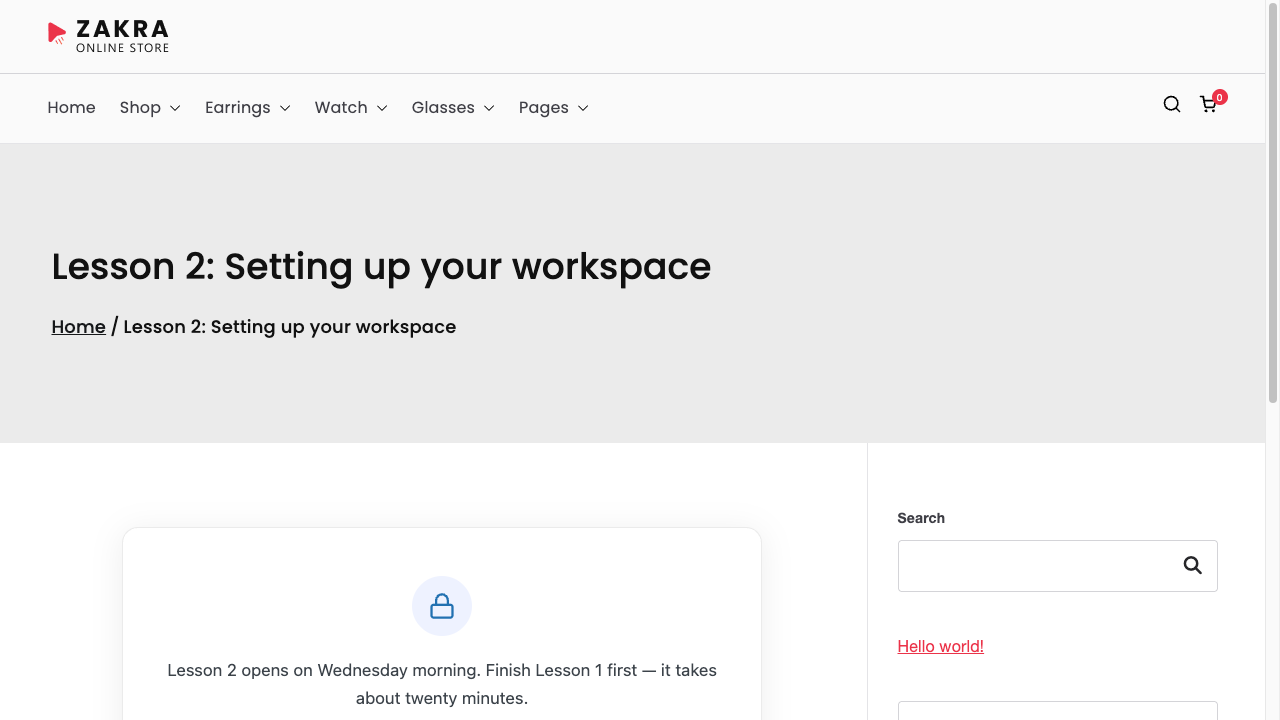
The rest of the page is untouched: your header, menu, sidebar and footer all still render. Only the post content is replaced.
You can lock a whole page or one section of it #
Locking the whole page is a checkbox in the editor. If you would rather keep most of a page open and hold back one part — a worked example, a download, a video — wrap that part in the Time Lock block instead.
What it does not do #
Content Time Lock decides when people see something. It does not decide who may buy it. There is no payment processing, no sign-up handling, no membership tiers and no email sending in this plugin.
It restricts by WordPress user role, so anything that assigns a role — WooCommerce with a membership or role plugin, a registration form, manual account creation — decides who is affected. This plugin then decides the timing.


