
A delivery estimate is worked out from three things you control: your handling time, the transit time of the shipping method the customer chose, and the days you do not ship on. All three live on Settings → Timeline.
Handling time #
Business days between an order being paid for and it leaving you. Set one figure for the whole store, and override it for individual shipping methods where that is not true.
Transit time #
Business days in transit, given as a range — for example 2 to 4 days for a flat rate service. The range is what lets the customer see “arrives between the 26th and the 28th” instead of a single date that will sometimes be wrong.
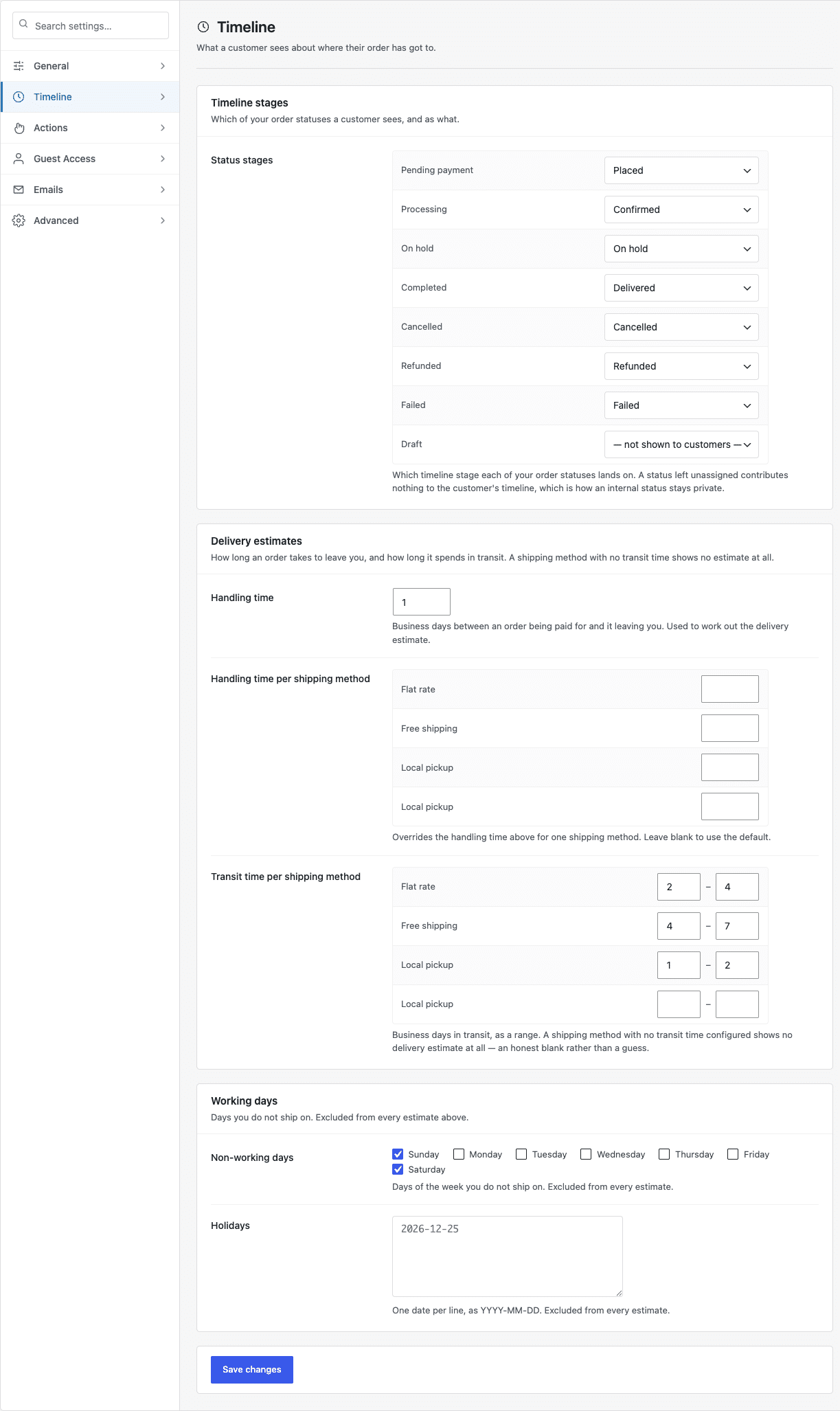
A shipping method with no transit time set shows no delivery estimate at all. That is deliberate — an honest blank rather than a guess. If estimates are not appearing, this is almost always why.
Working days #
Tick the days of the week you do not ship on, and list any holidays one per line as YYYY-MM-DD. Both are excluded from every calculation, so an order placed on a Friday afternoon does not get a Sunday estimate.
What happens when real tracking arrives #
The estimate is a stand-in. As soon as a tracking plugin provides a real tracking number for an order, the plugin uses that instead and stops estimating. You do not have to do anything to make the switch happen.


