
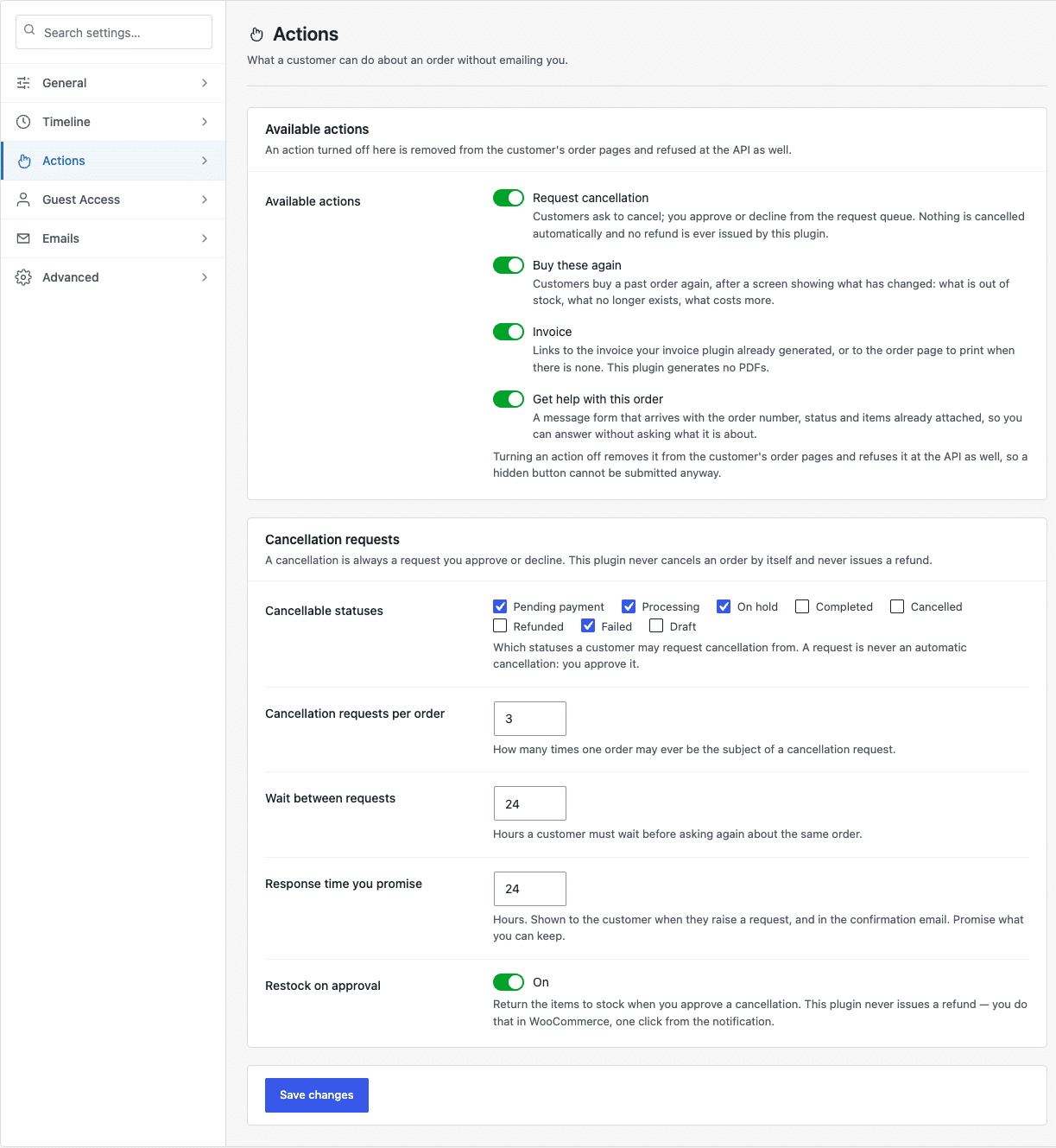
Four actions can appear on a customer’s order page. Each is switched on or off on Settings → Actions.
The four actions #
- Request cancellation — the customer asks; you approve or decline. Nothing is cancelled automatically.
- Buy these again — adds a past order’s items back to the cart, after showing what has changed.
- Invoice — links to the invoice your invoice plugin generated, or to the order page to print when there is none. This plugin generates no PDFs of its own.
- Get help with this order — a message form that arrives with the order number, status and items already attached.
Turning an action off removes it from the order page and refuses it at the API. A hidden button cannot be submitted anyway, so switching something off is a real control rather than a cosmetic one.
Cancellation rules #
The Cancellation requests card sets the terms:
- Cancellable statuses — which statuses a customer may ask to cancel from.
- Requests per order — how many times one order can ever be the subject of a request.
- Wait between requests — hours before the same customer can ask again.
- Response time you promise — shown to the customer when they submit. Promise what you can keep.
- Restock on approval — return the items to stock when you approve.
What the customer sees #
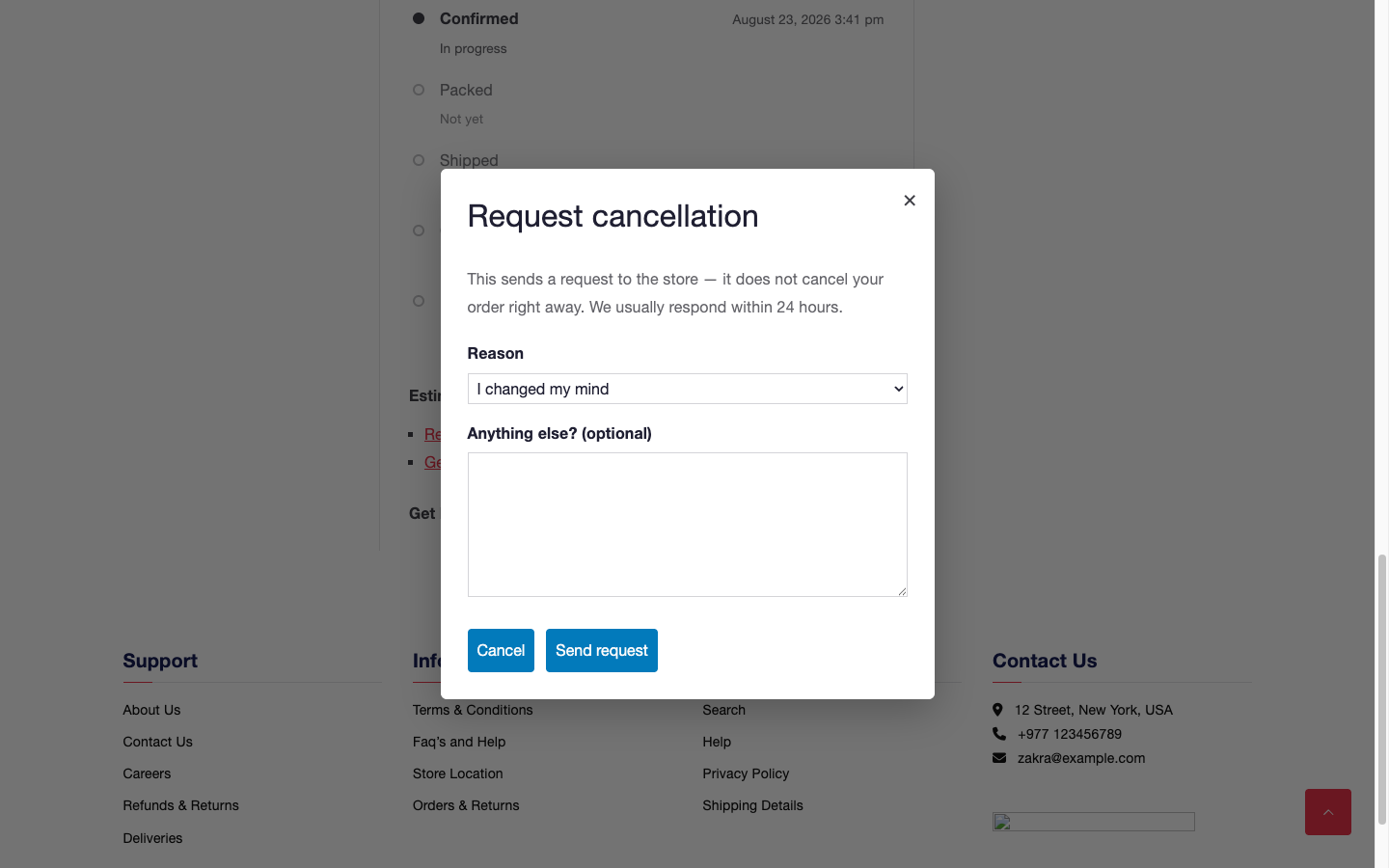
Requesting a cancellation opens a short form asking why, with an optional note.
Buying a past order again shows what has changed before anything reaches the cart — what is out of stock, what no longer exists, what now costs more.

Self-service actions


