
When a customer asks to cancel an order, the request lands in a queue for you to decide on. Nothing happens to the order until you do.
Finding requests #
Go to WooCommerce → Requests. The menu item carries a count of everything still waiting, so you can see from anywhere in the admin whether something needs attention.
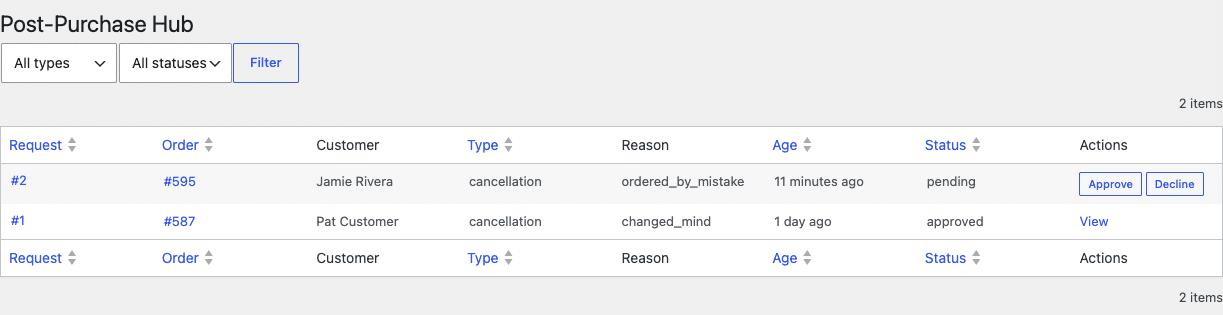
Filter by type or status, and sort by age to deal with the oldest first.
Deciding on one #
Open a request to see the order it relates to, what the customer said, and the items involved.
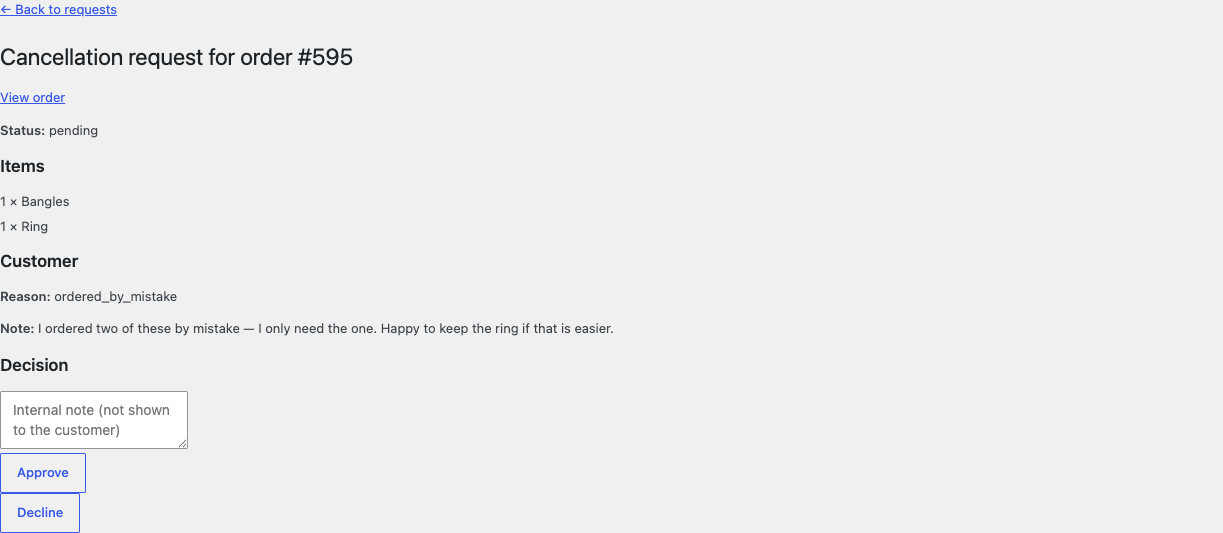
- Approve — the order is cancelled, and the items are returned to stock if you enabled restocking.
- Decline — the order is left exactly as it was.
Either way the customer is emailed. You can add an internal note, which is recorded against the request but never shown to the customer.
Approving a cancellation does not issue a refund. The plugin changes the order status and optionally restocks; refunding stays in WooCommerce, one click away on the order itself.
Seeing requests from the order screen #
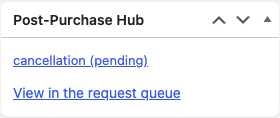
Any order with requests against it shows them in a Post-Purchase Hub panel while you are editing it, so you are never surprised by a pending request you did not know about.
When customers cannot request a cancellation #
The button is hidden — correctly — when any of these is true:
- The order is not in one of your cancellable statuses.
- A request is already pending on that order.
- The order has reached the per-order request limit, or is inside the waiting period.
- You have switched the cancellation action off entirely.


