
The timeline is the plugin’s main job: turning your order statuses into something a customer can read at a glance.
Stages versus statuses #
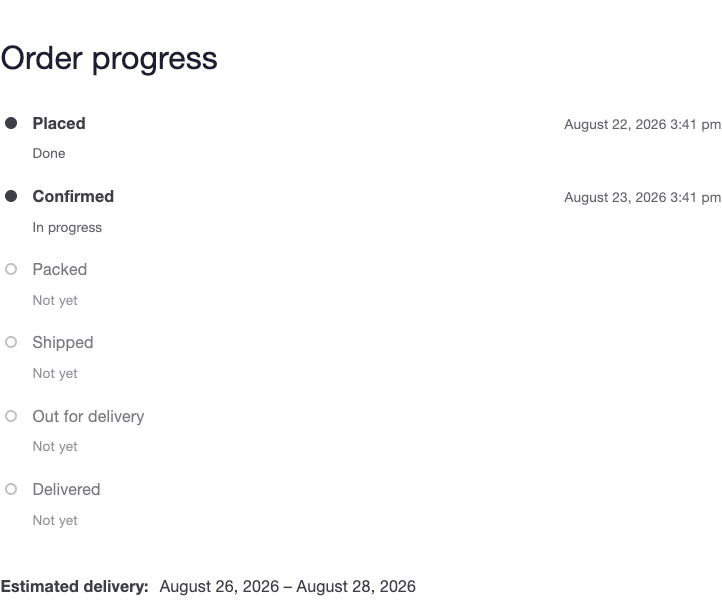
WooCommerce statuses are for you. Stages are for your customer. The plugin keeps them separate so you can rename, add or hide statuses without confusing anyone.
The shipped stages are Placed, Confirmed, Packed, Shipped, Out for delivery and Delivered, plus the branch states On hold, Cancelled, Refunded and Failed.
Mapping your statuses #
Go to Settings → Timeline. The Timeline stages card lists every status your store has, with the stage each one lands on.
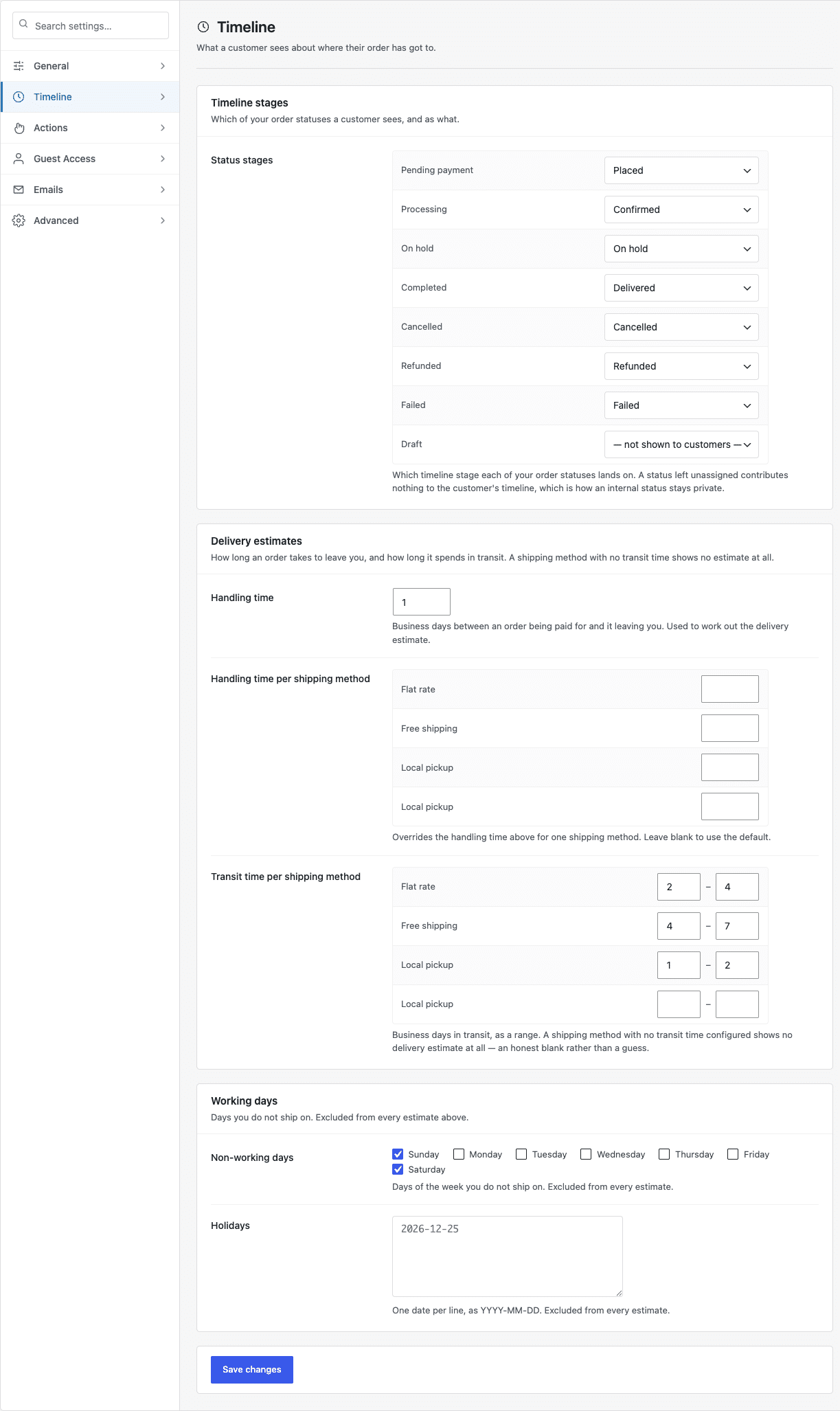
- Set a status to a stage and customers see that stage when the order reaches it.
- Set it to — not shown to customers — and it contributes nothing at all.
- A stage nothing maps to is never drawn, so the timeline stays as short as your process really is.
Custom statuses added by other plugins appear in this list automatically. A status you have never mapped keeps a sensible default rather than disappearing.
The order timeline and status stages


