WPMake

Cutting “Where’s My Order” Emails During the Holiday Rush

Every December, the same message arrives dozens of times a day in slightly different words: hi, just checking on my order? It is the most common support email in ecommerce, it spikes exactly when you have the least time, and — this is the frustrating part — the answer is already sitting in your database. Here is how to make customers stop asking, without hiring anyone or writing a single reply. Why WISMO emails spike every holiday season Three things happen at once. Carriers get overloaded, so genuine delivery times stretch. Your own fulfilment slows, because volume is up and your pickers are the same people they were in October. And customer patience shortens, because a gift has a deadline attached in a way a normal purchase does not. The result is that an order which generated no questions in September generates three in December. The customer is not being difficult; they are managing a deadline with no information. A confirmation email from eleven days ago does not answer the question they are asking, and your order page — a status word and a table — does not either. So they write to you. And because you are busy, you reply slowly, which produces a second email asking whether you got the first one. Give them a live answer instead of a static one The fix is structural: put the answer where the customer already looks. An Order progress list on the order page shows every stage — Placed, Confirmed, Packed, Shipped, Out for delivery, Delivered — each marked Done, In progress or Not yet, with the real timestamp where one was recorded and an estimated delivery range underneath. It updates as the order moves, with no reply from anyone. The timeline in Post-Purchase Hub is built from your own WooCommerce statuses, including custom ones added by fulfilment plugins, so it reflects what is genuinely happening rather than a generic five-step template. The My Account order list also gains a Progress column, which matters more in December than any other month: a customer with four open orders sees all four states at once instead of writing to ask about each. Get the estimate right before the rush, not during it A timeline with no delivery estimate answers half the question. Under Settings → Timeline → Delivery estimates, the estimate is calculated from Handling time in business days and a Transit time per shipping method range, checked against the Working days card below — so a Friday-afternoon order does not promise Saturday delivery, and a closure does not quietly vanish from the maths. Three things to do before the season starts: If you run Advanced Shipment Tracking or WooCommerce Shipment Tracking, real tracking data replaces the estimate automatically as soon as a number exists, so the page keeps improving as the order progresses. Set expectations before they ask The page answers customers who go looking. Emails reach the ones who do not — but be realistic about what WooCommerce actually sends. There is no “shipped” notification in core; Processing order and Completed order are what you have, which makes their wording matter more than the defaults suggest. You do not need another tool for this: these are ordinary WooCommerce emails, so a pass through your email settings before the season is enough. Two changes matter most. Put {order_number} in the subject line, since customers with several open orders triage from the inbox list. And put a link to the order page in the footer text, so every email you have ever sent doubles as a route back to the live answer. Handle the ones that turn into cancellations Some WISMO messages are really cancellation attempts — a gift that will now arrive too late is no longer wanted. Those are better handled as a structured cancellation request than an email thread: the request arrives attached to the order with a reason, and you approve or decline it from one queue at WooCommerce → Requests. During a busy week that is the difference between fifteen minutes and an afternoon. It is worth reviewing your cancellation rules before the season for the same reason you review handling time. What works at normal volume is not always what works at four times the volume — particularly Response time you promise, which is shown to the customer at the moment they submit. What to expect This does not take support volume to zero, and any tool that claims it will is selling something. It removes the single most common message, which in most stores is a large share of everything arriving during December — leaving your inbox for the ones that genuinely need a person: the damaged parcel, the wrong address, the delivery that never came. That is the honest version of the win. The same information, delivered without a ticket, for the customers who just wanted to know where their order was.
Handling Order Cancellations During Flash Sales Without Losing Your Mind

Flash sales bring in orders fast, and cancellations arrive on the same curve about forty minutes behind them. Mis-taps, duplicate orders and plain buyer’s remorse all spike together, usually while you are busy watching the sale itself. None of that is avoidable. What is avoidable is handling it one email at a time. Here is what to change before the sale starts, and how to work the surge when it lands. Why cancellations spike during sales The predictable shape is useful: most requests arrive inside the first hour or two, not spread across the day. Plan for a burst, not a trickle. Tighten eligibility before the sale, not during it The instinct is to shorten the cancellation window for sale days. In Post-Purchase Hub there is no timer to shorten — eligibility is driven by Cancellable statuses on the Actions tab, a set of checkboxes over your WooCommerce statuses. Your lever is that list, not a clock. Three adjustments worth making the day before: Treat all three as temporary and write the original values down before you change them. The settings screen has a Search settings… box that filters as you type, so putting them back afterwards takes a minute. Your normal cancellation rules should return the moment the rush is over. Raise your handling time too This one gets forgotten and causes more support email than the cancellations do. Your delivery estimate is calculated from Handling time in business days, and a sale that triples your order volume does not triple your picking capacity. If picking takes two days during a sale, set handling time to two days for the sale period — or use Handling time per shipping method if only some methods are affected. A visible, honest estimate on the order timeline is what stops the second wave: the “when will this actually ship?” messages that arrive two days after the cancellations. Work the queue in batches Requests land at WooCommerce → Requests, with a count in the menu of everything waiting on you. During a sale this is the entire advantage: one screen with All types and All statuses filters, sortable columns, and Approve or Decline on each pending row. A rhythm that holds up under volume: If you were hoping to skip the review entirely, the honest answer on auto-approval explains why the plugin will not decide these for you — and why narrowing the status list does more for your workload than an approval rule would have. Check restock on approval before you start With Restock on approval switched on, every approved cancellation returns items to stock immediately. During a sale that is usually what you want — the stock goes back on sale while the sale is still running. It is only wrong if you reconcile inventory by hand, in which case a burst of approvals will quietly inflate your counts. Either way, remember that refunds are separate. Approving changes the order status; the refund is still done in WooCommerce, one click from the notification. Budget time for that after the rush — it is the step most likely to be forgotten in the noise. After the sale ends That last one is worth twenty minutes. Sale cancellations cluster around fixable causes far more often than normal ones do: a variant picker that confuses on mobile, a discount that reads ambiguously, a shipping cost that only appears at checkout.

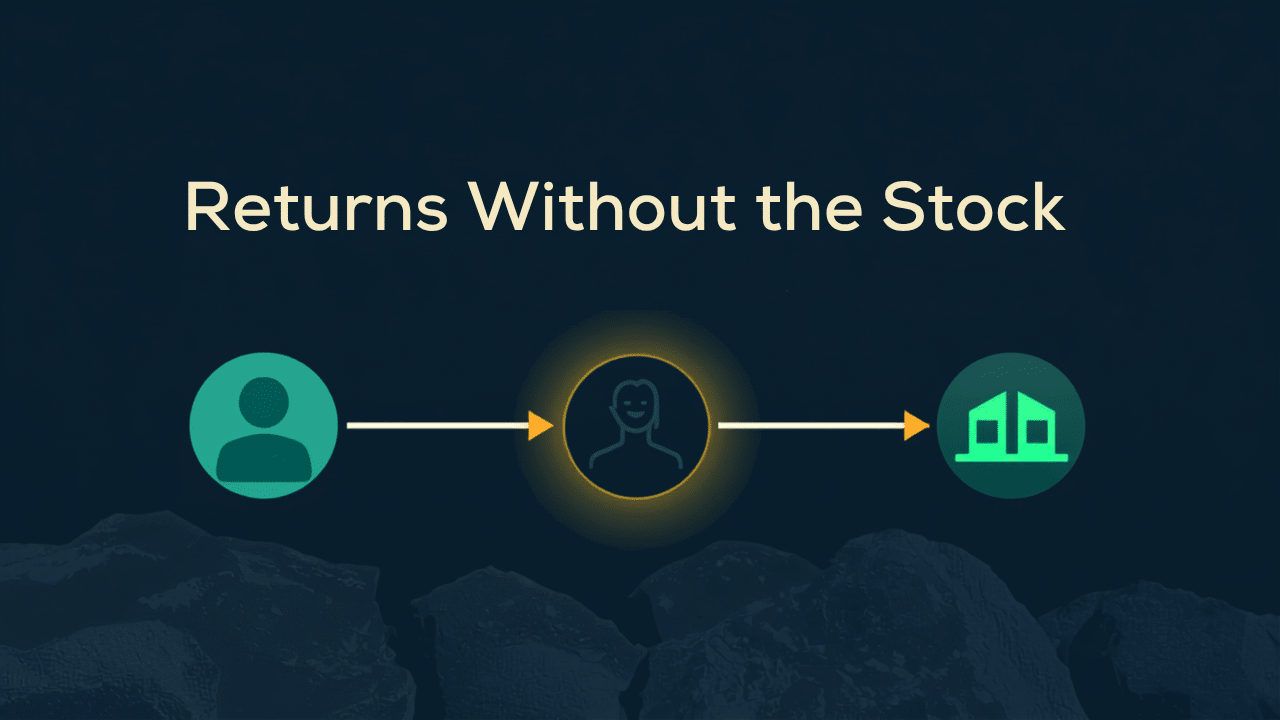
Managing Returns as a Dropshipper (When You Don’t Hold the Stock)

A standard return flow assumes you can put your hands on the item: it comes back, you inspect it, you restock it, you refund. Dropshipping breaks every step. The parcel is somewhere in a supplier’s network, the return address is not yours, and the decision usually is not yours either. The friction is real and no plugin removes it. What you can remove is the part that actually costs you time — digging through email threads to work out which order a customer means and what the supplier already said. The extra handoff, and where things get lost A dropshipped return has a step a normal return does not: a conversation with the supplier that the customer cannot see and does not care about. That handoff is where requests stall. The customer emails you, you email the supplier, the supplier takes two days, and meanwhile the customer emails again because nothing has visibly happened. Two things make it worse. Return addresses and policies differ per supplier, so there is no single rule you can publish. And you often cannot confirm receipt yourself, which means the last step — the refund — waits on somebody else’s inbox. What Post-Purchase Hub does here, and what it does not Worth being precise, because it changes how you build the rest of your process. Post-Purchase Hub does not run an RMA workflow. It does not generate return labels, track a returned parcel, or issue refunds — the readme is explicit that it never touches a payment gateway, and it generates no PDFs of any kind. What it gives you is the intake and the record. Get help with this order is a message form that reaches you with the order number, status and items already attached. Cancellation requests — which for a dropshipper are far more valuable than returns, for the reason below — arrive in a queue at WooCommerce → Requests with the customer’s chosen reason, their note, and an Internal note (not shown to the customer) box on the decision screen. That internal note does more work for a dropshipper than for anyone else. It is where “supplier confirmed 14 Mar, RMA #4471” lives, attached to the request rather than buried in a mail thread — and because requests also surface on the WooCommerce order screen, the context is on whichever page you happen to open. If you want that history to survive, check Keep resolved requests for on the Advanced tab: it is a number of days, and zero keeps everything. Catch it before it ships, not after The highest-leverage change for a dropshipper is not a better return process. It is intercepting more orders before the supplier dispatches them, because a cancellation costs you nothing and a return costs shipping in both directions plus a supplier conversation. Eligibility is based on order status, so the question is: how long does an order sit with you before it is forwarded? That gap is your real window. Leave Restock on approval off unless you genuinely mirror supplier stock in WooCommerce. For most dropshippers the stock number is nominal, and restocking on approval just makes it less accurate. The queue is reviewed by hand either way, which is the right shape when a supplier has to be consulted before you can say yes. Set return windows around the supplier, not yourself The most common dropshipping policy mistake is copying a normal store’s thirty days from delivery. That assumes the customer received the item roughly when you thought they did, and that a return reaches somewhere useful in a few days. Neither is safe when a supplier ships from overseas. Build the window from the actual chain: supplier dispatch time, transit, plus the days a return takes to reach the supplier and be confirmed. Then publish a window you can hold on the slow version of that chain, not the fast one. A shorter, reliable window generates far fewer disputes than a generous one you cannot honour. Make the delivery estimate honest and half the problem disappears A large share of dropshipping returns are not product problems. They are timing problems: the customer expected the parcel in a week, it took three, and by the time it arrived they no longer wanted it. So set Handling time and the Transit time per shipping method ranges from your supplier’s real performance, not the optimistic figure on their rate card. The timeline then shows a window the customer can plan around — and where a method has no transit time configured it shows no estimate at all, a deliberate blank rather than a guess. Uncomfortable to publish, much cheaper than a missed promise. If you use a tracking plugin, real tracking data replaces the estimate as soon as the supplier provides a number — which is usually the point at which dropshipping customers stop worrying. Advanced Shipment Tracking and WooCommerce Shipment Tracking are supported out of the box, and other sources can be wired in through a filter. Setting expectations is the actual strategy Being upfront about longer processing, paired with a live status the customer can check themselves, does more for trust than a short window you cannot consistently meet. Say the shipping time on the product page, repeat it in your order emails, and show it on the order page. Customers who would have returned out of impatience mostly self-select out before buying — a better outcome than a return you have to process. Then keep the reason data. A month of cancellation and help-request reasons usually points at one supplier, one product, or one shipping method doing most of the damage. See setting cancellation windows and return policies for how to turn that into a policy you can actually defend.

Post-Purchase Hub for Subscription Box Businesses

Subscription boxes have a support problem one-off stores do not: the same customer generates a new order every month, and each of those orders can produce the same questions. Where is this month’s box? Can I skip it? I meant to cancel before you charged me. Multiply that by a few hundred subscribers and the post-purchase experience stops being a nice-to-have. Here is where Post-Purchase Hub fits — and, just as importantly, where it does not. What this handles, and what it does not Be clear about the boundary, because it decides what you still need. Your subscriptions plugin owns the subscription itself: the billing schedule, pausing, skipping a cycle, and cancelling the subscription. Post-Purchase Hub works on orders — including every renewal order that subscription generates. That turns out to be most of where the support load comes from. Subscribers rarely ask about the schedule; they ask about the specific box that was supposed to arrive last Tuesday. Why cancellations need to be easy A customer who cannot find a clear way to stop paying you does not shrug and stay subscribed. They call their bank. A chargeback costs more than the box was worth, in fees and in processor standing, and unlike a cancellation it is not a conversation — you find out after the decision has been made. Every friction point between “I want to stop” and stopping raises the odds of that outcome. So the goal is not retention through obstruction. It is making the exit obvious enough that it stays a cancellation, and visible to you early enough to respond. The dialog states plainly that it is a request and carries the response time you configured. It asks for a Reason from a dropdown and offers an Anything else? (optional) box — which gives you something an email thread never does: structured, stored data on why people leave. One thing to set up alongside it: the customer-facing Cancelled order email in WooCommerce is often disabled by default. If you approve a request and that email is off, the customer gets silence at the most sensitive moment in the relationship. A pass through your email settings fixes it in a minute. Renewal orders are where the questions come from A subscription box has a rhythm, and subscribers learn it fast. The box that normally arrives on the 8th and has not arrived by the 11th generates a message. Every month. From different people. An Order progress list on each renewal order answers that without a reply. It is built from your own WooCommerce statuses, so if your fulfilment has a packing week and a dispatch day, the statuses you already use map onto the stages customers see rather than being replaced by a generic “Processing”. The delivery estimate matters more here than in a normal store, because subscribers compare this month against last month. Set Handling time to what your packing cycle actually takes and a Transit time range on each shipping method, and the estimate holds month after month. Miss it consistently and you have trained a few hundred people to check in. The order list is the subscriber’s dashboard A long-running subscriber has a year of orders in their account. The My Account list gains a Progress column showing each order’s current stage and timestamp, which turns that history into something readable at a glance — and it is the page to send them to when they ask about a box from three months ago. Two of the self-service actions earn their place immediately for subscription businesses. Invoice removes the recurring “can you send me a receipt for last month” message, especially from business subscribers — it links to whatever your invoice plugin generated, and falls back to a printable order page when there is none. Get help with this order gives you a support intake that arrives with the order number, status and items already attached, instead of an email saying “my box” that needs three replies to identify. Reducing “I forgot to cancel” disputes The most common subscription complaint is being charged for a cycle the customer meant to stop. It is also the one most likely to become a chargeback, because the customer feels caught rather than served. Two things reduce it. A renewal reminder a few days before billing — your subscriptions plugin sends this; make sure it is on and that it states the date and the amount plainly. And a genuinely visible route to cancel, rather than one buried behind a support form. Where a charge has already gone through, the cancellation request on that renewal order gives the customer somewhere to go that is not their bank. You still make the decision, and the refund remains a WooCommerce action on the order — the plugin never touches your gateway. Setting the rules for a subscription store Renewal orders have a rhythm that makes the cancellation rules easier to set than in a general store. Requests are eligible based on order status, so the practical question is which status a renewal order sits in before it enters your packing run — that gap is your real window, and for most box businesses it is generous. Then spend twenty minutes on your order emails. For a subscription business those arrive every single month, which makes them the most-seen thing your brand produces — and the easiest place to make a box feel like a membership rather than a transaction.

How Small WooCommerce Stores Can Offer an Amazon-Level Post-Purchase Experience

Amazon set the expectation for what happens after checkout, and it did not do it with drones. It did it with a page that always answers the question — and a set of buttons that let customers fix their own problems at two in the morning without talking to anyone. A small WooCommerce store cannot match Amazon’s logistics. It can match most of the experience, because the experience is mostly information design. What big retailers actually get right It is tempting to assume the advantage is speed. It is not. Plenty of Amazon deliveries take a week and customers are fine with it, because they knew it would take a week and could watch it happening. The advantage is certainty. At any moment the customer knows what stage their order is at, roughly when it arrives, and what they can do about it. None of that requires a warehouse network. It requires that your store stops treating order status as internal data. The three things customers actually want Only the first is about logistics. The other two are interface, and interface is where a small store competes on level ground. Where WooCommerce leaves a gap Out of the box, WooCommerce gives a customer an order number, a line-item table and a status word. There is no sense of sequence, no estimate, and nothing to click. Every question after that page — where is it, can I stop it, can I have it again — has exactly one route: your inbox. That is the real cost of the default experience. Not lost sales; lost hours. Every WooCommerce store owner has answered “has my order shipped yet?” more times than they can count, and every one of those answers was already in the database. How self-service closes the gap Post-Purchase Hub gives a small store the same core mechanics on the pages your theme already draws: an Order progress list built from your own order statuses, a delivery estimate worked out from your real handling and transit times, and self-service actions on the orders that qualify for them. Four actions cover most of what customers want to do alone: Request cancellation, Buy these again (which shows what changed — out of stock, discontinued, more expensive — before it re-adds anything), Invoice, and Get help with this order, which reaches you with the order number, status and items already attached. Each is an independent toggle, and each only appears where it genuinely applies, so nobody is offered a button that leads to a refusal. Honest beats impressive The one place where copying Amazon goes wrong is the delivery promise. Big retailers commit to a date because they control the chain. You mostly cannot, and a confident date you miss does more damage than a range you keep. So the estimate is built from numbers you actually control — handling time in business days, transit time as a range per shipping method, and your own non-working days and holidays excluded from the maths. Where the data is not there, the timeline shows a blank rather than inventing a date. If you run a tracking plugin, real tracking data steps in front of the estimate the moment it exists. Setting the timeline up takes about fifteen minutes, most of it spent mapping your own statuses. The same honesty applies to cancellations. Amazon can cancel instantly because its systems know precisely where every parcel is. A small store cannot, so a cancellation is submitted as a request you approve — and the dialog says so in its first sentence, along with the response time you promised. Customers are entirely fine with “we usually respond within 24 hours”. What they are not fine with is silence. Where this actually pays off The obvious win is fewer support emails, and it is real — “where is my order” is usually the single most common message a store receives, and a live page removes most of it. During a holiday rush that difference is measured in hours per week. The less obvious win is repeat purchase. A customer who has been through one order with full visibility and one self-service action that worked has learned something no amount of homepage copy conveys: that buying here is low-risk. That is what brings them back, which is why the biggest effect shows up on the second order rather than the first. There is a third, quieter benefit. Every cancellation request arrives with a reason attached and is stored that way, so a month of them is the cheapest product research you will run — a size chart that misleads, a delivery estimate that reads slower than it is, a photo that oversells a colour. What it deliberately will not do Worth knowing before you set expectations internally. It never issues a refund and never touches a payment gateway. It never cancels an order by itself. It creates no tracking numbers and generates no PDFs — it reads what your tracking and invoice plugins already store. And it does not replace your theme’s order pages unless you turn that on, which is not the recommended setting. That list is short on purpose, and it is the reason the rest can be trusted. Where to start Start with visibility, because it reduces email volume without requiring any new decisions from you: the order status timeline first, then self-service cancellations once you are comfortable with the request queue. Installation is a five-minute job, and branding your order emails is the twenty minutes that makes the whole thing look like it was always part of your store.